
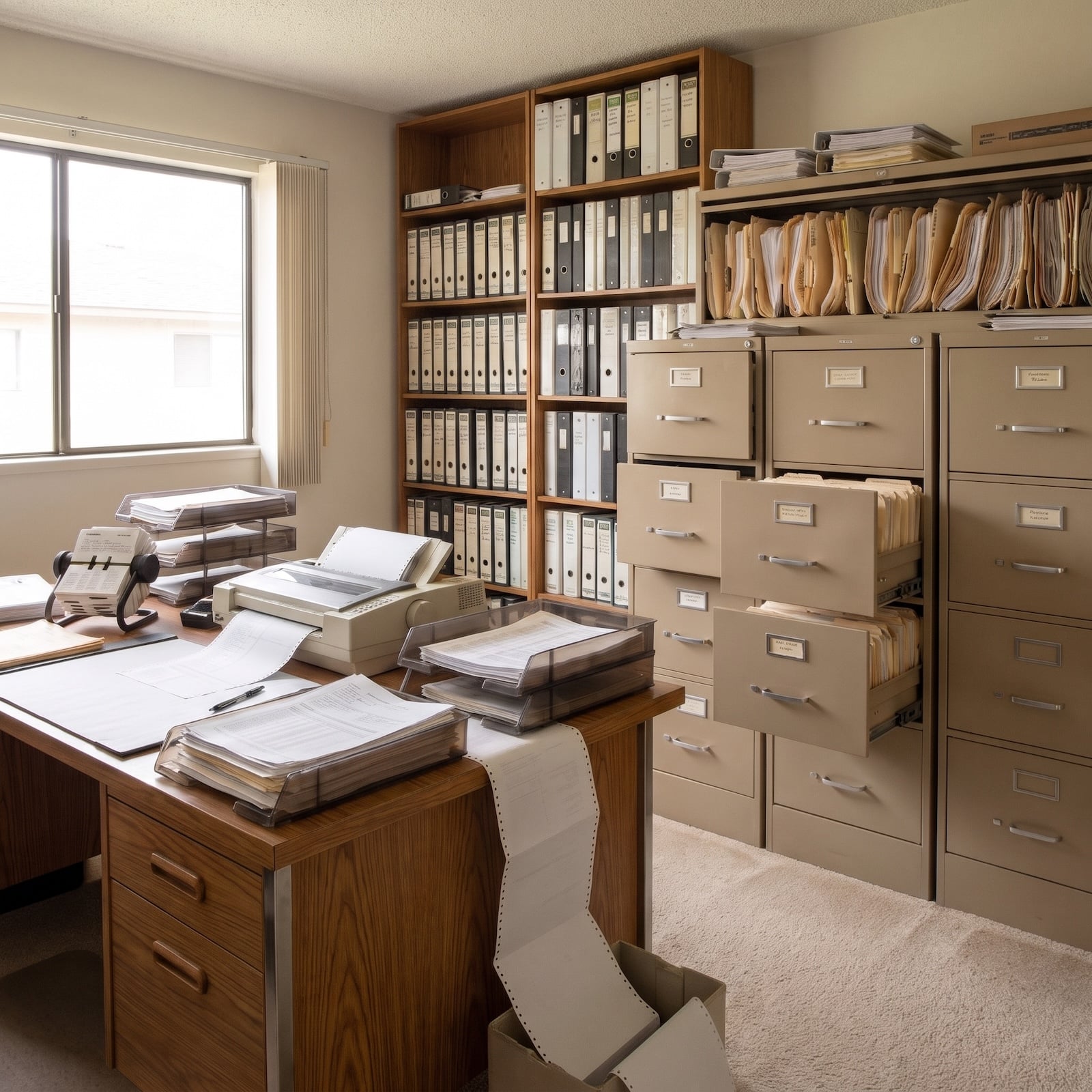
In 1995, the home office was a storage problem masquerading as a workplace. Filing cabinets swallowed entire walls. Binders multiplied across bookshelves. Paper trays rose in precarious towers, while printers fed continuous sheets across desks already buried beneath documents. Somewhere in the remaining square footage, a computer demanded its own furniture. Interior design began wherever the paperwork ended.
Three decades later, the machinery has largely surrendered the room. Screens have lost their bulk, storage has migrated into software, and desks no longer need the structural integrity of industrial shelving. The home office has gone from a place designed to accommodate technology to a place designed around the person using it. That’s a considerably bigger transformation than replacing beige plastic with brushed aluminum.
In order to come up with the very specific design ideas, we create most designs with the assistance of state-of-the-art AI interior design software. Also, assume links that take you off the site are affiliate links such as links to Amazon. this means we may earn a commission if you buy something.
And the most interesting changes aren’t always the obvious ones. A properly positioned task lamp can alter the character of an entire room. A monitor arm can recover enough desktop to make a smaller desk practical. A chair that supports the body, cabinetry that conceals necessary clutter, and a layout that takes daylight seriously can accomplish more than another expensive gadget. Good design has finally caught up with the equipment.
These 35 transformations chart the journey from the tyranny of the computer hutch to the freedom of a genuinely considered workspace. Along the way, entire pieces of furniture became obsolete, familiar office rituals disappeared, and ordinary domestic materials found their way back into the working room. The most remarkable difference between 1995 and now isn’t what the home office gained. It’s how much it could afford to lose.
35. The Spare Bedroom Office Becomes a Room Worth Working In
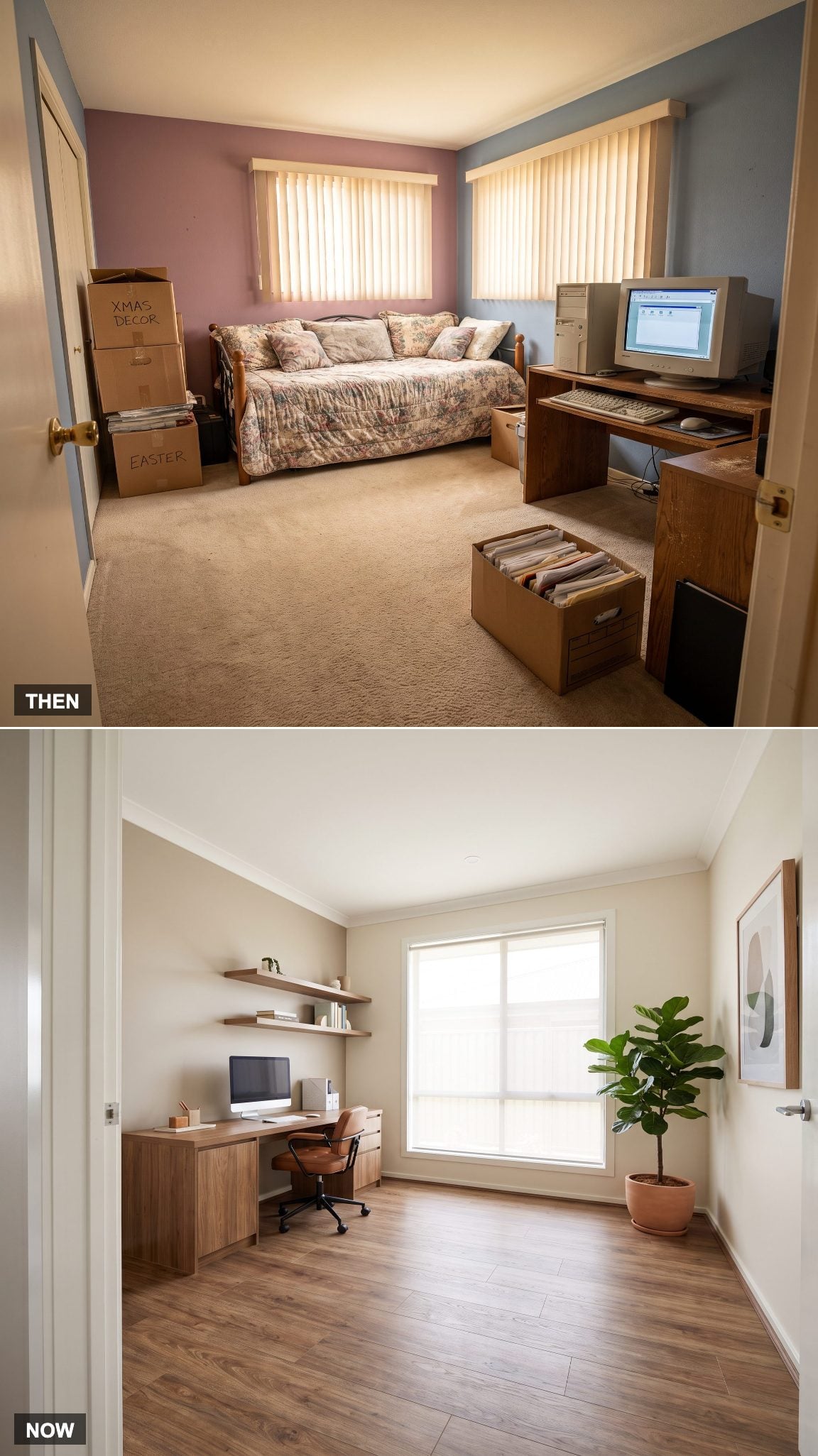
The spare-bedroom office was often an exercise in compromise. A desk squeezed between a bed and a dresser, a computer occupied whichever wall had an outlet, and the chair needed to be pushed aside whenever someone opened the closet. The room had two purposes and rarely enough space to accommodate either particularly well.
Today’s dedicated workspace can be planned as carefully as a living room. A properly scaled desk, comfortable seating, controlled lighting, and storage integrated into the architecture establish a coherent interior. A well-designed home office doesn’t need to imitate a corporate cubicle. Its greatest advantage is that it belongs inside a home.
In our reader polls, a dedicated room beat a nook for the home office, 53% to 33%, so the spare bedroom still has plenty of fans.
34. The Beige Desktop Tower Gives Way to a Laptop That Barely Registers
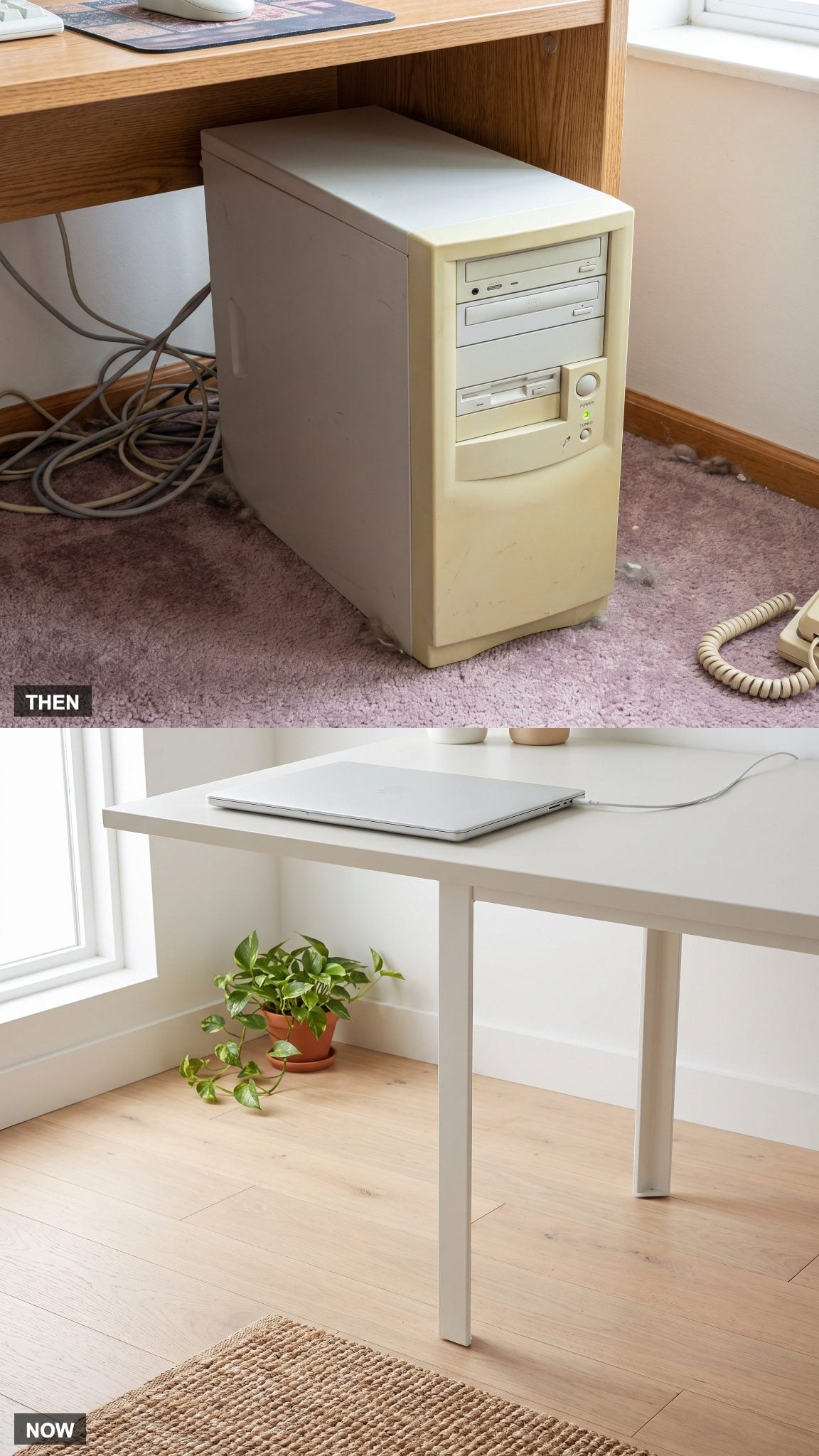
The desktop tower was a substantial piece of equipment, often stationed beneath the desk where it collected dust and occupied valuable legroom. Its fans provided a constant soundtrack. Upgrading components could mean opening the case, identifying the right expansion slot, and hoping everything worked when the cover went back on.
A contemporary aluminum laptop delivers vastly more computing power in a fraction of the space. Fold the screen shut and the office becomes a writing desk again. The transformation isn’t simply technological. Furniture no longer has to be designed around a large plastic box.
33. Fluorescent Glare Gives Way to Lighting With Layers and Purpose
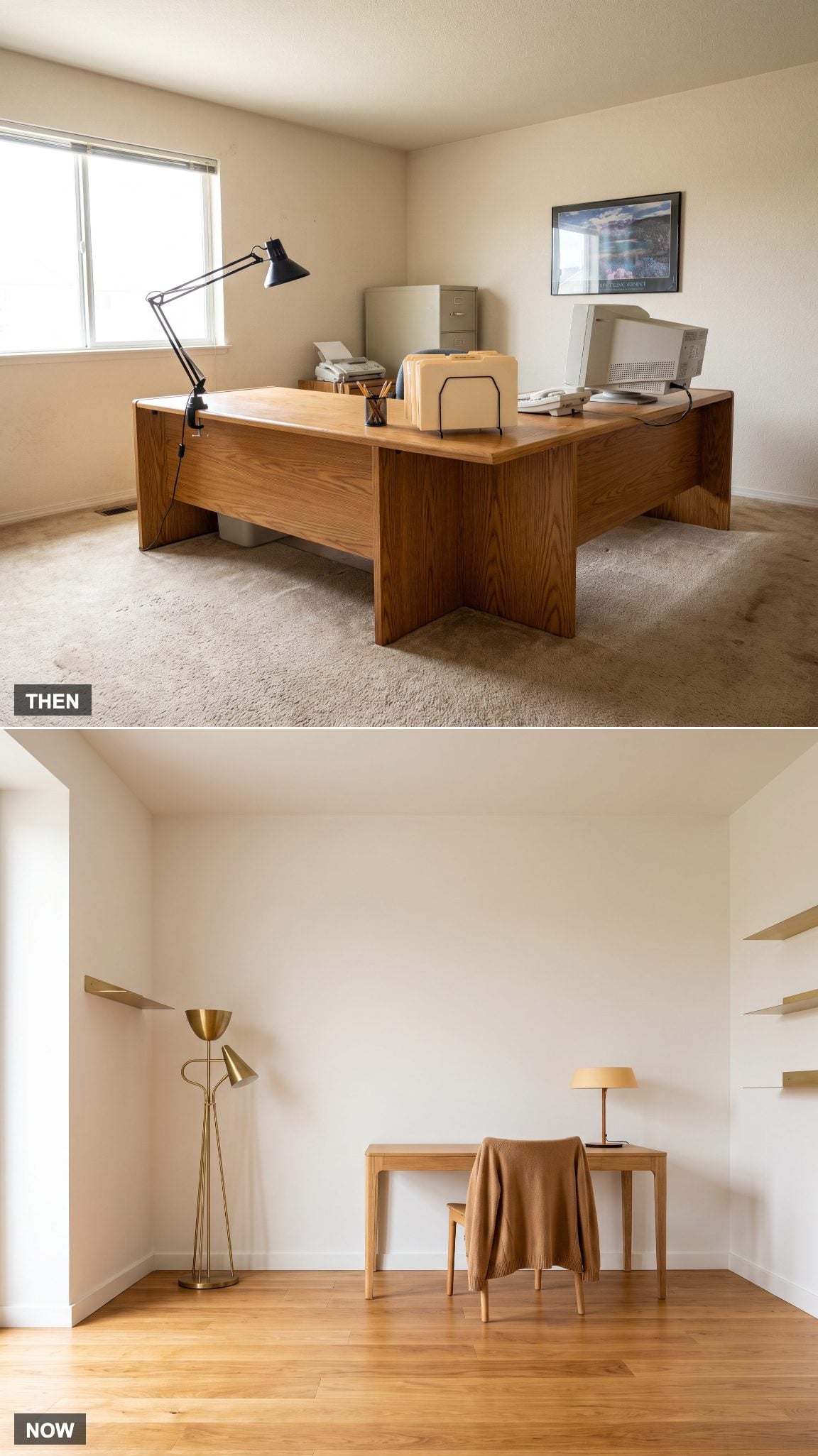
One overhead fixture and a desk lamp constituted the lighting strategy in many older home offices. Fluorescent tubes could cast an unflattering, institutional light, while a poorly positioned task lamp created glare across the monitor. The room was illuminated, certainly. Whether anyone enjoyed being in it was another question.
Layered lighting changes the atmosphere and the function. A focused desk lamp illuminates paperwork, a floor lamp softens the surrounding space, and dimmers allow the room to respond to changing daylight. A brass floor lamp adds material warmth that a ceiling fixture alone cannot supply. The best lighting plans balance brightness, contrast, and glare rather than simply adding more bulbs.
What Our Readers Say
- When our readers loved a home office and tapped a reason, overall style and a cosy feel came out on top, ahead of layout and color.
- When Home Stratosphere readers disliked a home office, the top reason was “not my style” at 27%, with “too cold” close behind at 23%.
From Home Stratosphere reader polls and votes.
32. The Enormous CRT Monitor Surrenders Its Claim on the Desktop
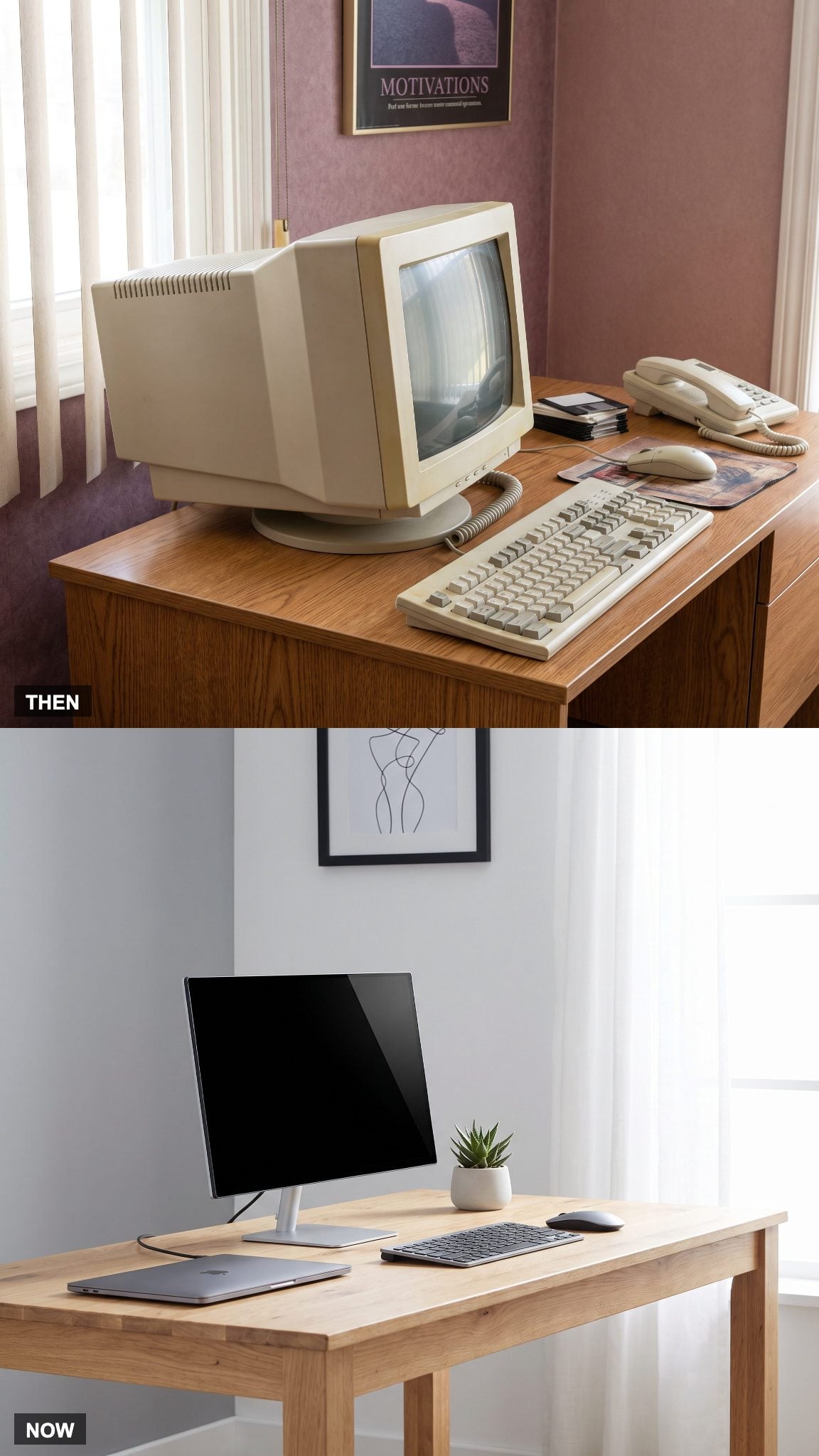
A 15-inch CRT could weigh upward of 30 pounds, with a deep cabinet that consumed a formidable stretch of desk. Its curved glass reflected the room, and the substantial housing dictated where everything else could sit. The monitor wasn’t an accessory to the furniture. It was the furniture’s principal occupant.
Flat-panel displays have changed that relationship. A thin screen on a monitor arm can float above the work surface, freeing the area beneath it and allowing more flexible positioning. Even a compact desk can accommodate a generous display without resembling a computer showroom.
31. The Fixed Desk Learns to Stand Up
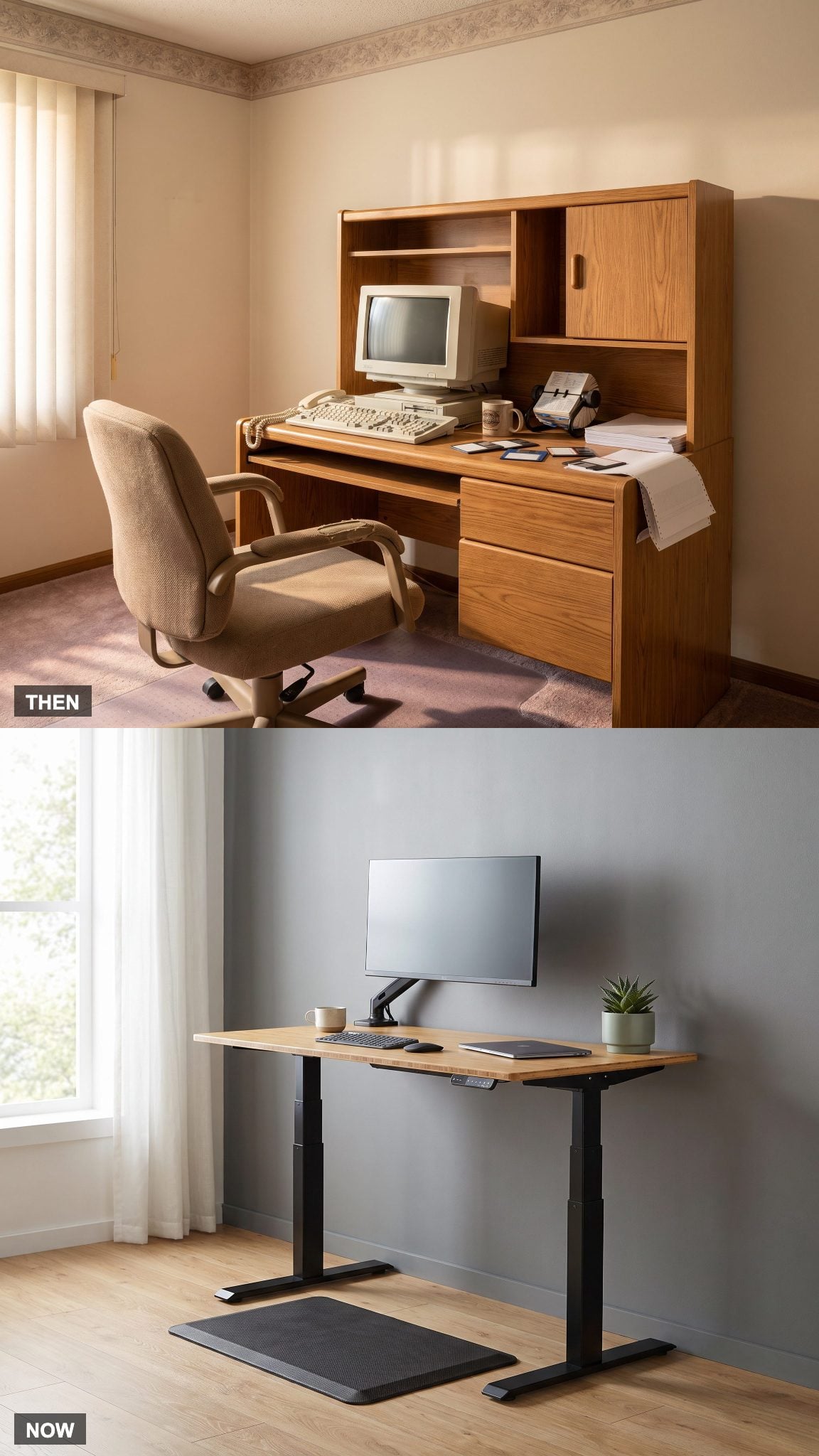
Traditional office desks offered one working height. If the proportions didn’t suit the person sitting there, the options were limited to adjusting the chair, adding accessories, or enduring the mismatch. The furniture expected the body to accommodate it.
Electric sit-stand desks reverse that arrangement. The work surface rises or lowers to accommodate different positions, allowing users to alternate between sitting and standing. The benefit comes from variation and movement, not from standing motionless for an entire afternoon. A good adjustable desk makes that flexibility feel like an ordinary part of the room rather than a mechanical spectacle.
30. The Dot-Matrix Printer Meets Its Compact Wireless Descendant
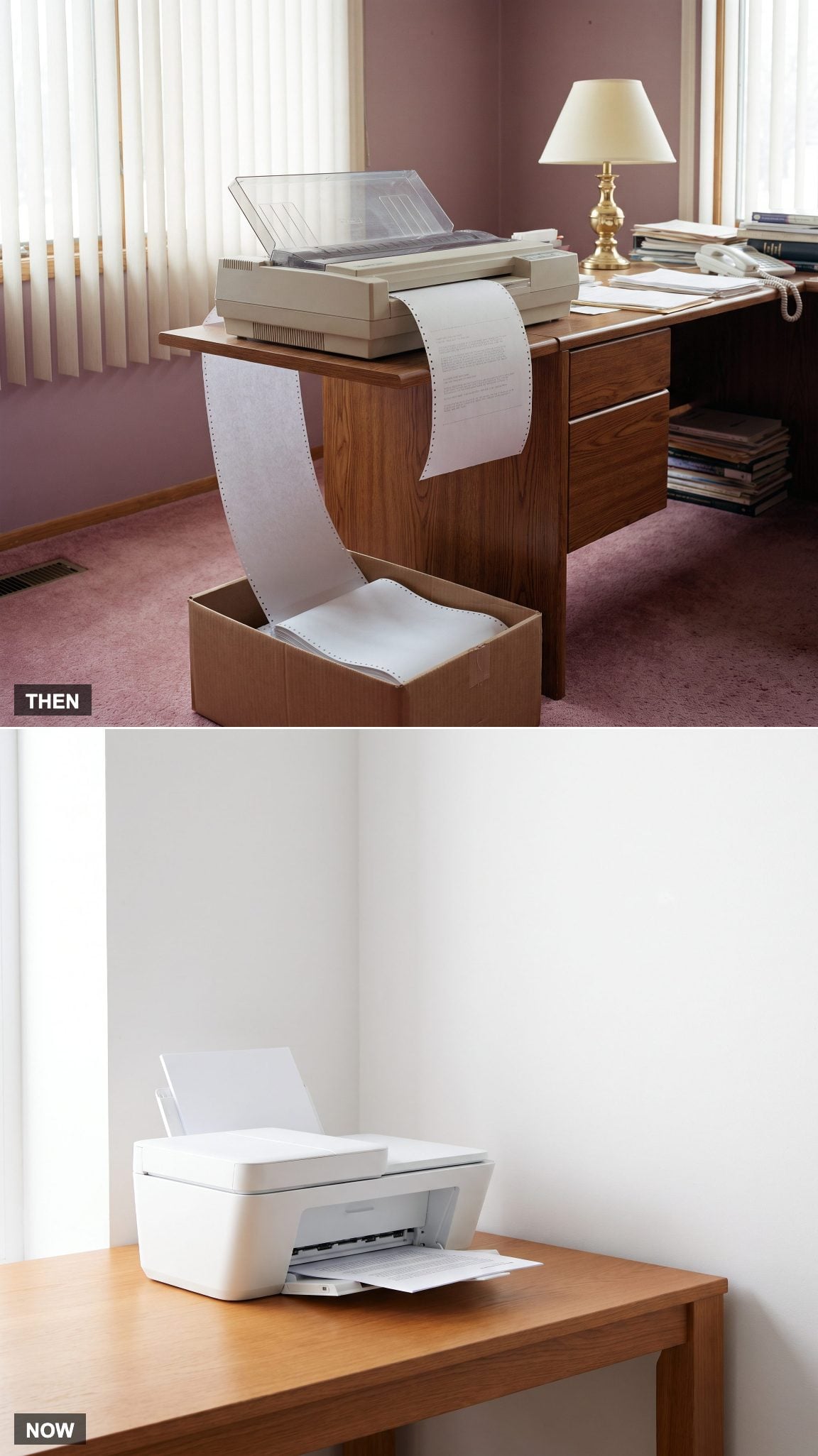
Dot-matrix printers were already sharing the market with inkjet and laser models by 1995, but their mechanical racket remained unforgettable. The print head hammered against an ink ribbon while tractor-feed paper advanced through the machine, complete with perforated strips waiting to be torn away.
Modern all-in-one printers combine printing, scanning, and copying in a considerably smaller package. Wireless connectivity eliminates the need to position the machine beside the computer, and contemporary inkjet or laser mechanisms generally make less noise than their impact-printing predecessors. The printer can finally occupy a secondary position in the room.
29. The Corkboard Goes From Paper Avalanche to Considered Display
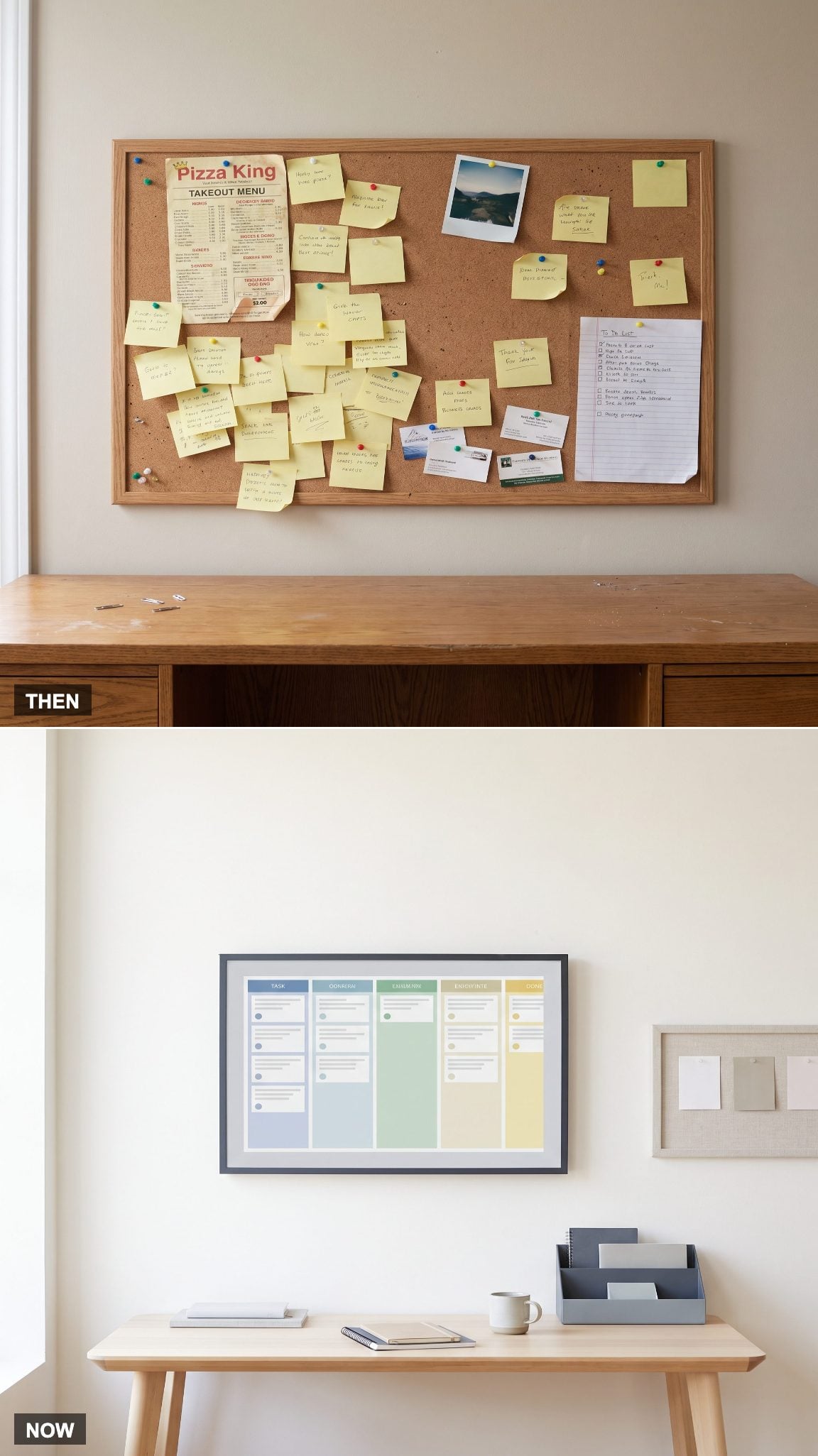
The old corkboard could become a geological record of unfinished business. Notes overlapped telephone numbers, appointment cards disappeared behind receipts, and an urgent reminder might spend three weeks hidden beneath a pizza menu. The board was intended to organize information. Eventually, it became another place to search for it.
Digital task boards handle schedules, deadlines, and collaborative work without consuming wall space. Meanwhile, the physical pinboard has acquired a more decorative role. Linen, cork, or felt panels can display a few useful notes, samples, or photographs without turning the wall into an administrative emergency.
28. The Computer Hutch Loses Its Monopoly on Furniture Design
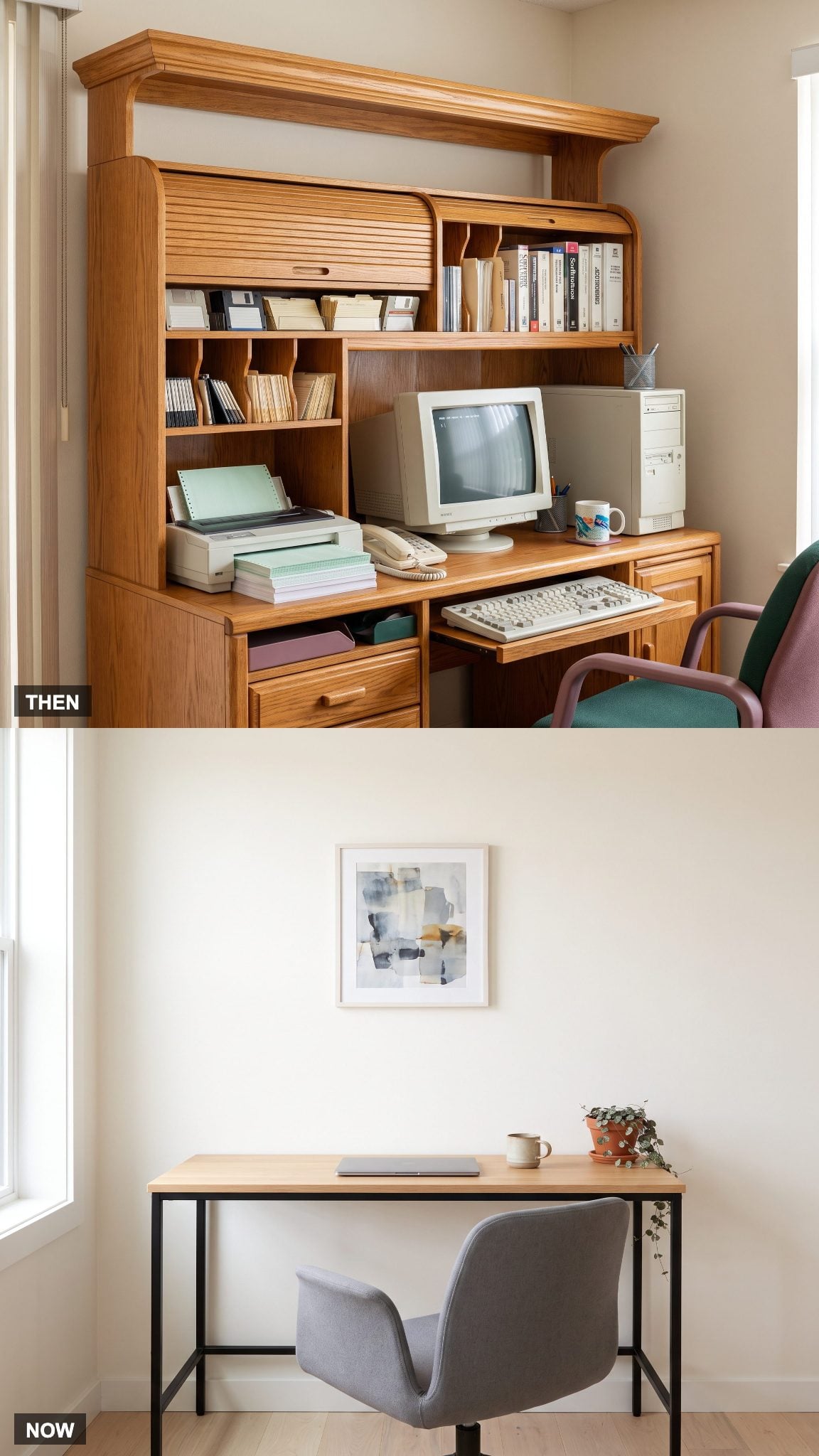
The computer hutch was an impressive piece of engineering devoted to accommodating a formidable collection of equipment. Monitor compartments, printer shelves, keyboard trays, overhead cupboards, and little cubbies for objects nobody could quite identify. Honey-oak versions could occupy an entire wall, imposing their dimensions and finishes on everything around them.
The contemporary writing desk has a different ambition. A restrained worktop, slender legs, and carefully chosen materials allow it to participate in the room rather than dominate it. The reduction in bulk also makes circulation easier and gives the surrounding architecture more room to register.
The old hutch organized the machinery. The modern desk organizes the room around the person.
27. The Answering Machine’s Blinking Light Becomes a Notification
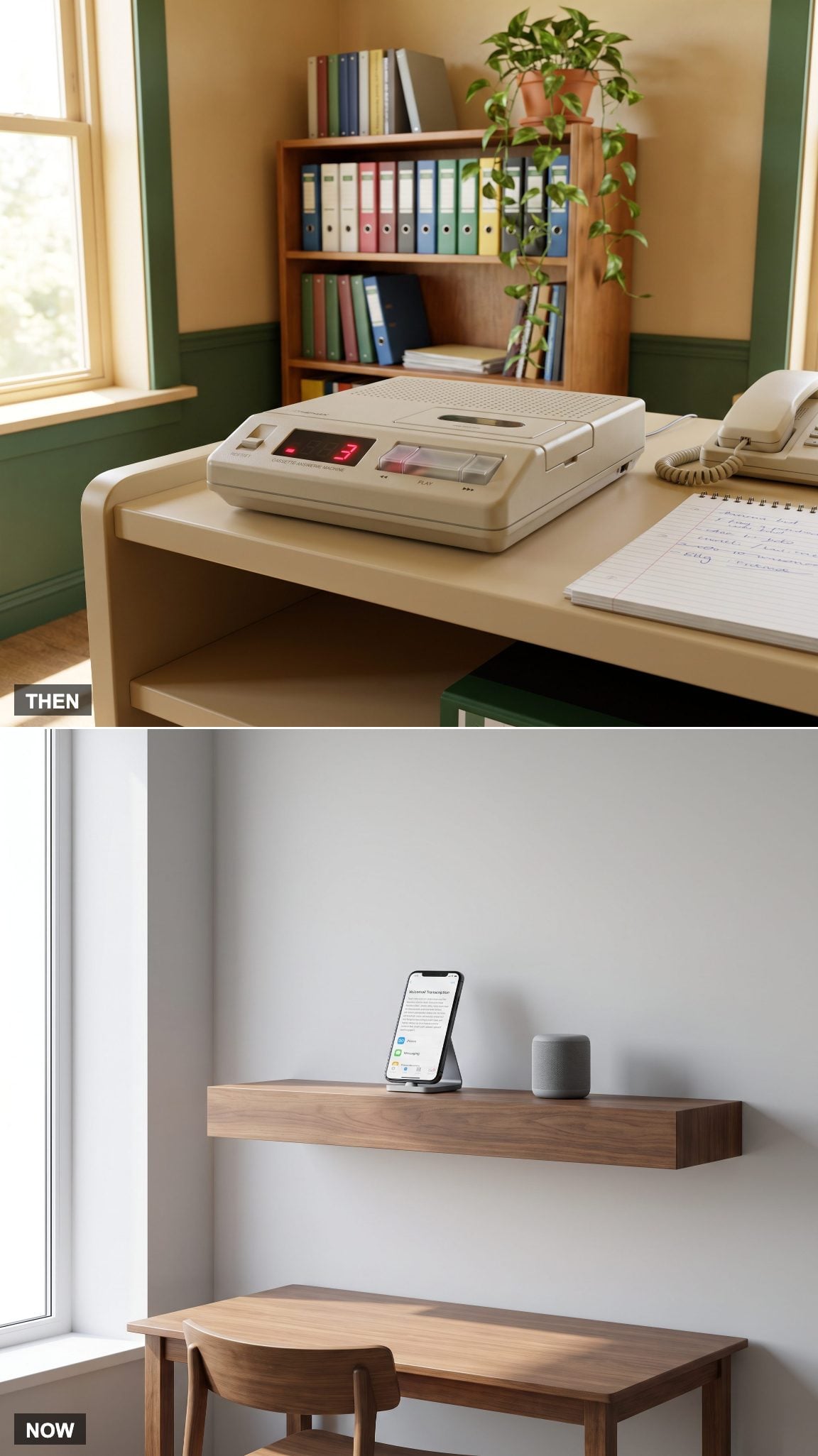
A blinking message counter once announced that someone had called while the house was empty. Cassette-based answering machines required rewinding, replaying, and occasionally deciphering a message recorded through considerable background noise. The machine had a permanent place beside the telephone.
Voicemail, message transcription, and messaging apps have moved that function onto phones and computers. Voice messages remain useful, particularly in business, but they no longer require a separate appliance. One more object disappears from the desktop, leaving its little blinking light to live on as a digital notification.
26. The Basic Swivel Chair Develops a Backbone
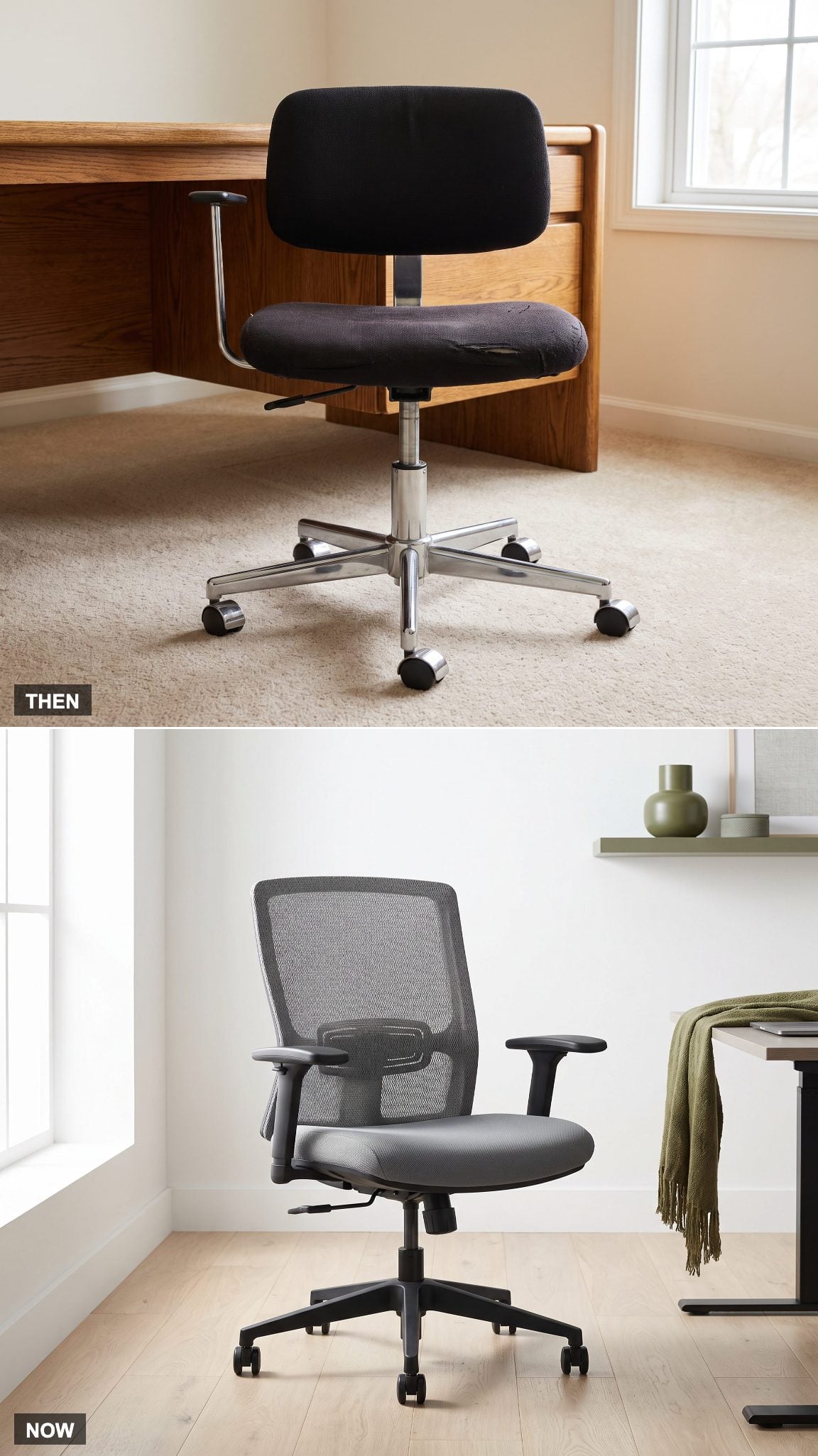
A basic padded swivel chair offered a cushion, a backrest, and perhaps a height adjustment. Support often depended more on luck than engineering. The thick upholstery looked comfortable in a catalog, although prolonged sitting could reveal the difference between padding and proper support.
Contemporary ergonomic chairs approach the problem through adjustable seat height, lumbar support, armrests, and backrest positioning. Breathable mesh offers one alternative to heavily padded upholstery. A gray mesh ergonomic chair can also look visually lighter than a bulky executive model, particularly in a smaller office.
25. The Fax Machine Finally Gives Up Its Desk Space
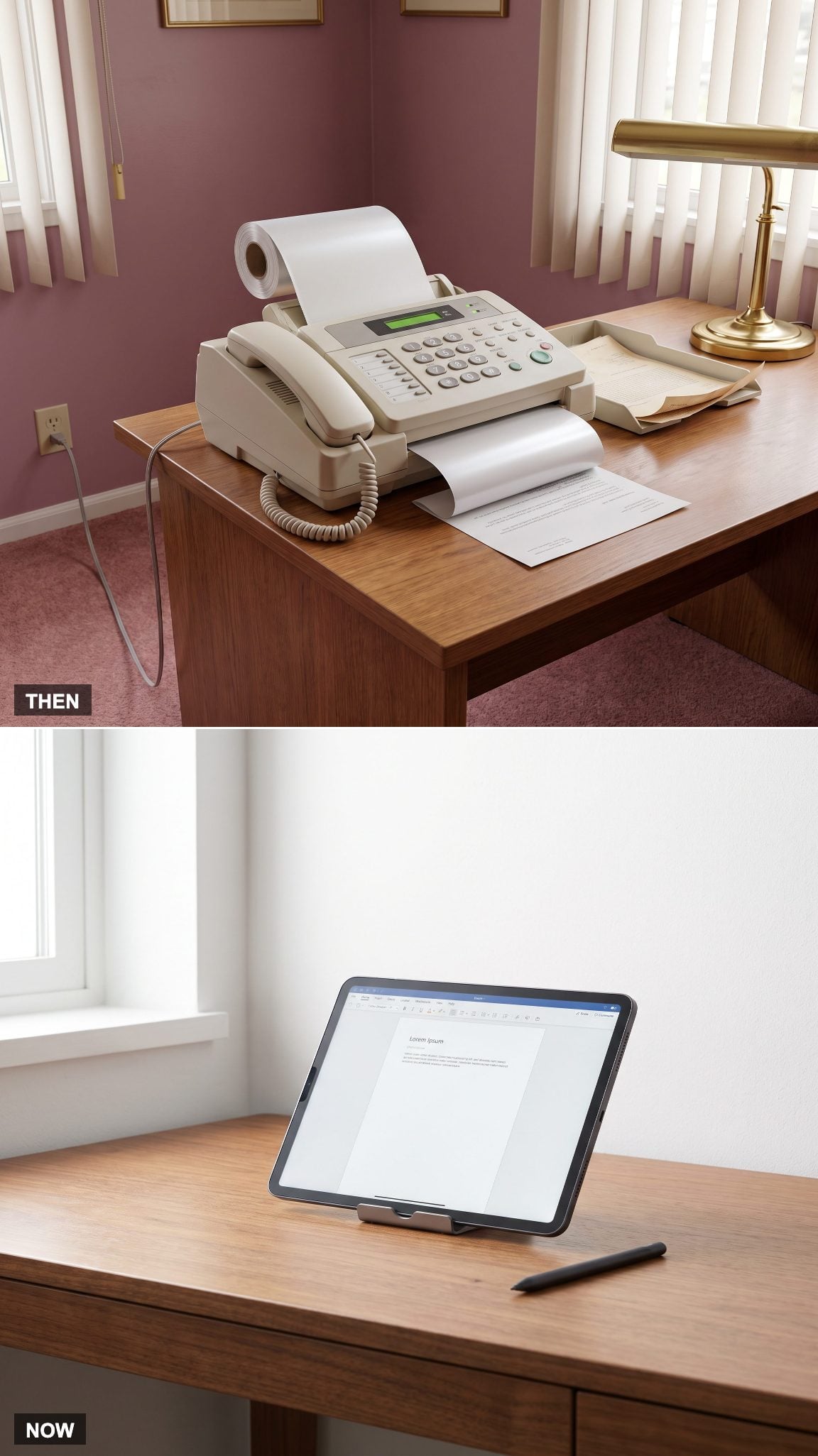
Fax machines turned document delivery into a performance involving telephone lines, paper feeds, busy signals, and mechanical noises that sounded like an argument between two robots. Thermal-paper models produced curled pages that could fade with age, while plain-paper machines demanded their own supplies and maintenance.
Email, secure document sharing, and electronic signatures have replaced many everyday faxing tasks. Fax remains in use in certain industries, but the typical home office no longer needs to dedicate valuable surface area to a machine whose principal function can be handled digitally.
24. The Single Monitor Becomes a Dual-Screen Workspace
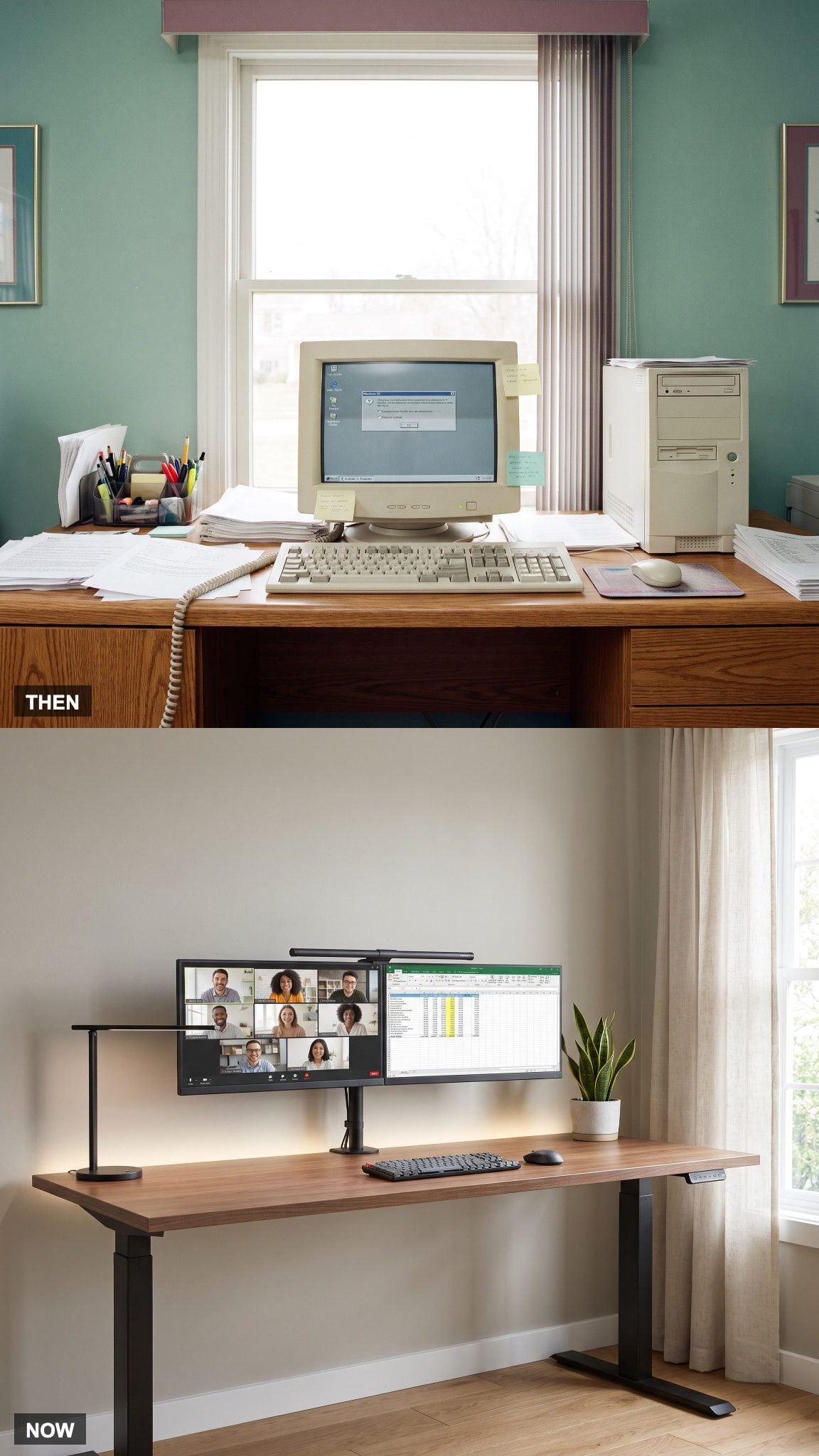
Working with multiple documents on a modest 1995 display involved switching between windows, printing reference material, or repeatedly rearranging what little screen space was available. The desktop became a secondary display made of paper.
Two monitors on adjustable arms can accommodate research, editing, spreadsheets, and communication simultaneously. The design challenge is keeping the arrangement comfortable rather than allowing the equipment to sprawl. In a contemporary home office, screen placement, viewing distance, and natural light deserve as much consideration as the number of displays.
23. The Filing Cabinet Leaves. The Room Gets Its Floor Space Back.
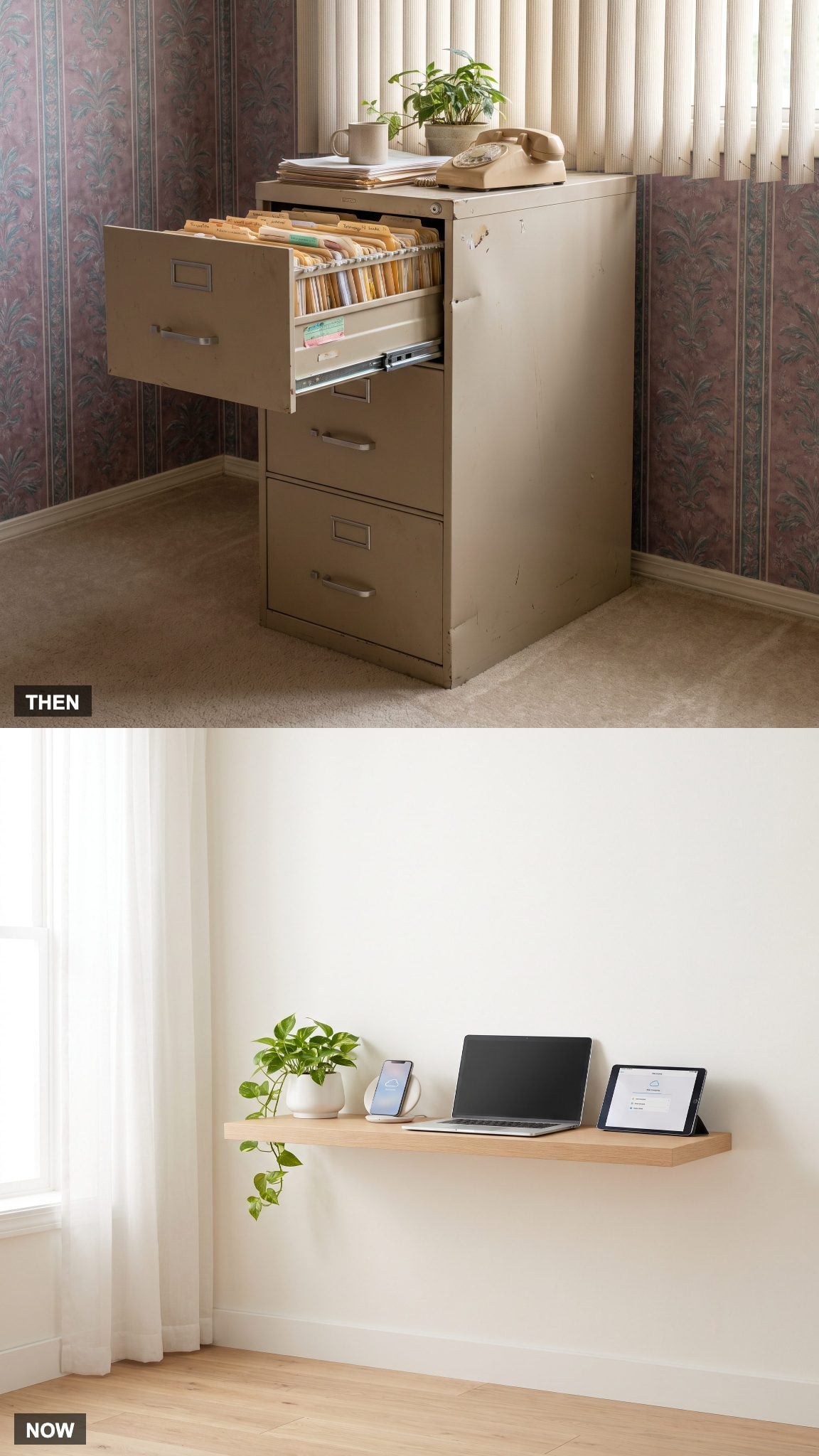
A metal filing cabinet represented a substantial commitment of floor space. Its drawers required clearance, its contents demanded labels, and finding a misplaced document could turn into a search through several years of manila folders. Functional, certainly. Aesthetically, it offered little beyond a stubborn rectangular obstruction.
Digital document storage has reduced the need for extensive physical filing in many households. Important originals still require secure storage, but everyday records no longer need to occupy drawer after drawer of metal furniture. A compact document box or a discreet cabinet can handle essential paperwork without imposing the visual weight of an office filing system. The filing cabinet hasn’t simply shrunk. Its dominance over the room has ended.
22. The Ball Mouse Rolls Into History
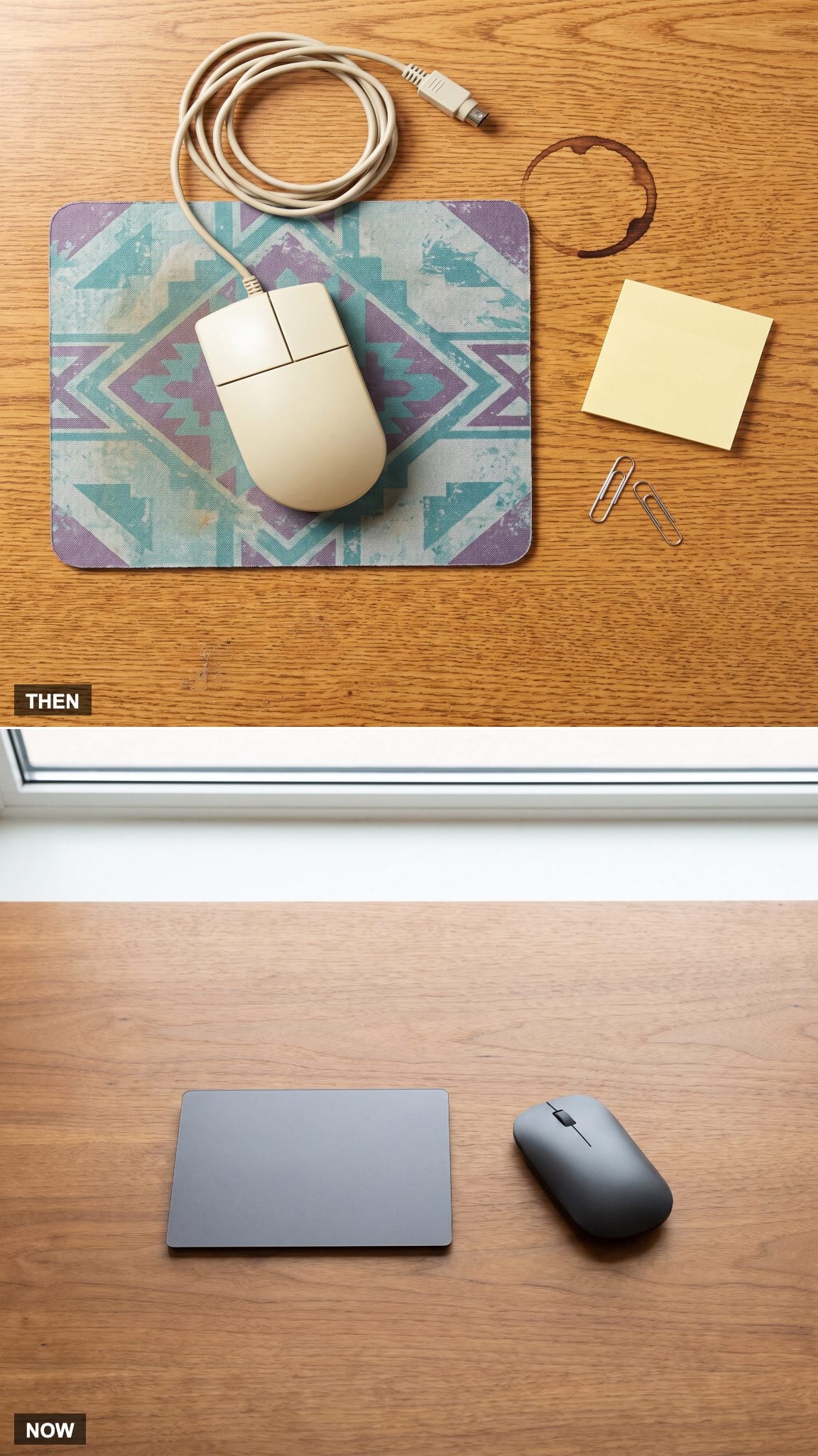
The mechanical mouse had a particular maintenance ritual. Remove the retaining ring, extract the rubber-coated ball, and scrape accumulated lint from the rollers until the cursor stopped behaving like it had developed a limp. The mouse pad was essential equipment, even when its decorative pattern was best forgotten.
Optical mice eliminated the internal rolling mechanism, wireless models removed another cable, and trackpads offered an entirely different approach to navigation. Modern pointing devices still need occasional cleaning, but the old ritual of excavating grime from mechanical rollers has largely disappeared.
21. The Office Supply Explosion Shrinks to a Single Drawer
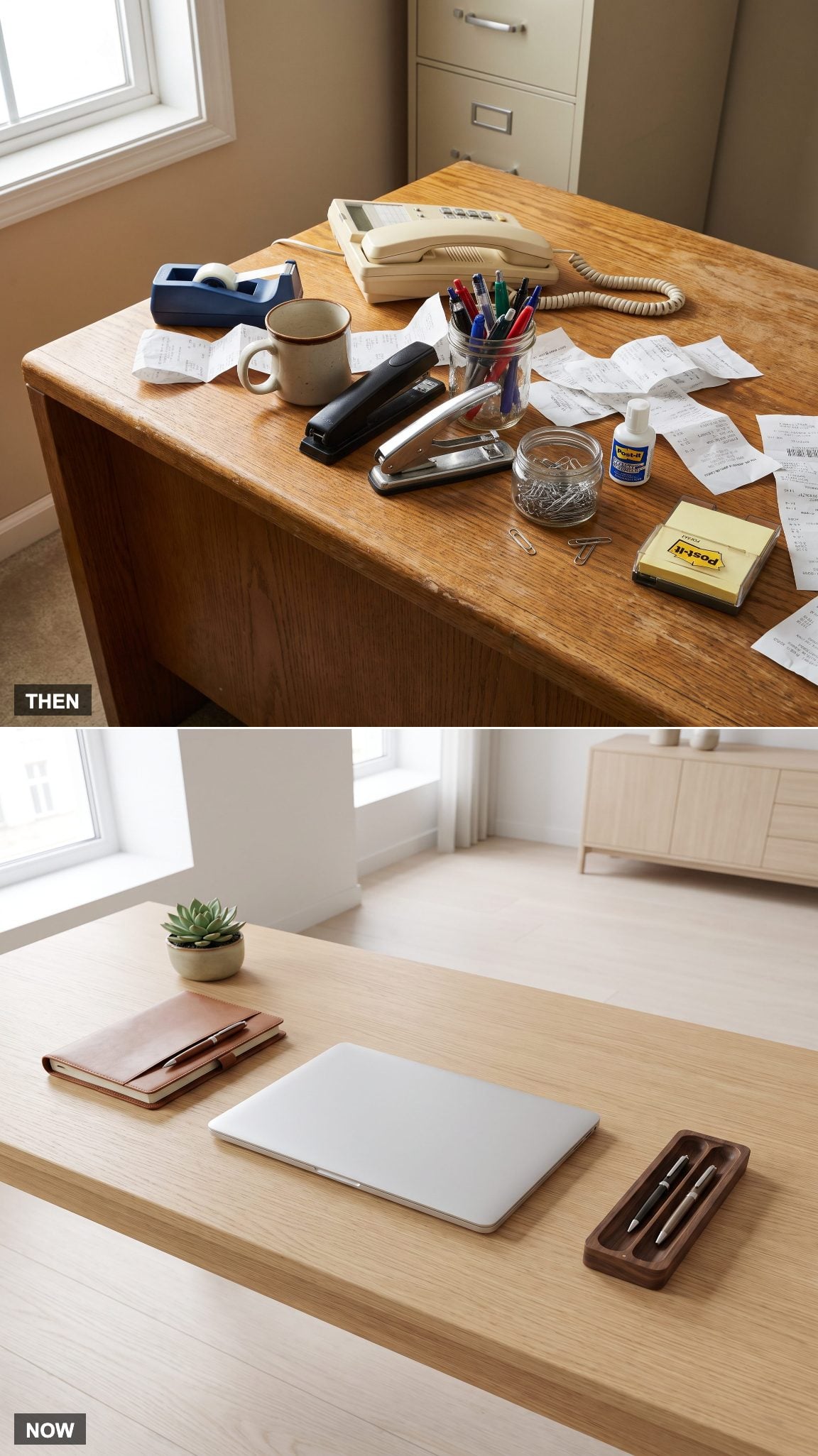
Staplers, correction fluid, tape dispensers, pencil sharpeners, paper clips, rubber bands, and pens of uncertain reliability once occupied the office desktop in impressive numbers. Most were useful. Collectively, they could make a working surface look like the stationery aisle of a department store.
Digital tools have eliminated some of those objects, while good storage has given the survivors a less conspicuous home. A shallow drawer organizer, a compact tray, and a clear working area create order without requiring an impractically empty desk.
20. The Dial-Up Modem Stops Announcing Every Connection
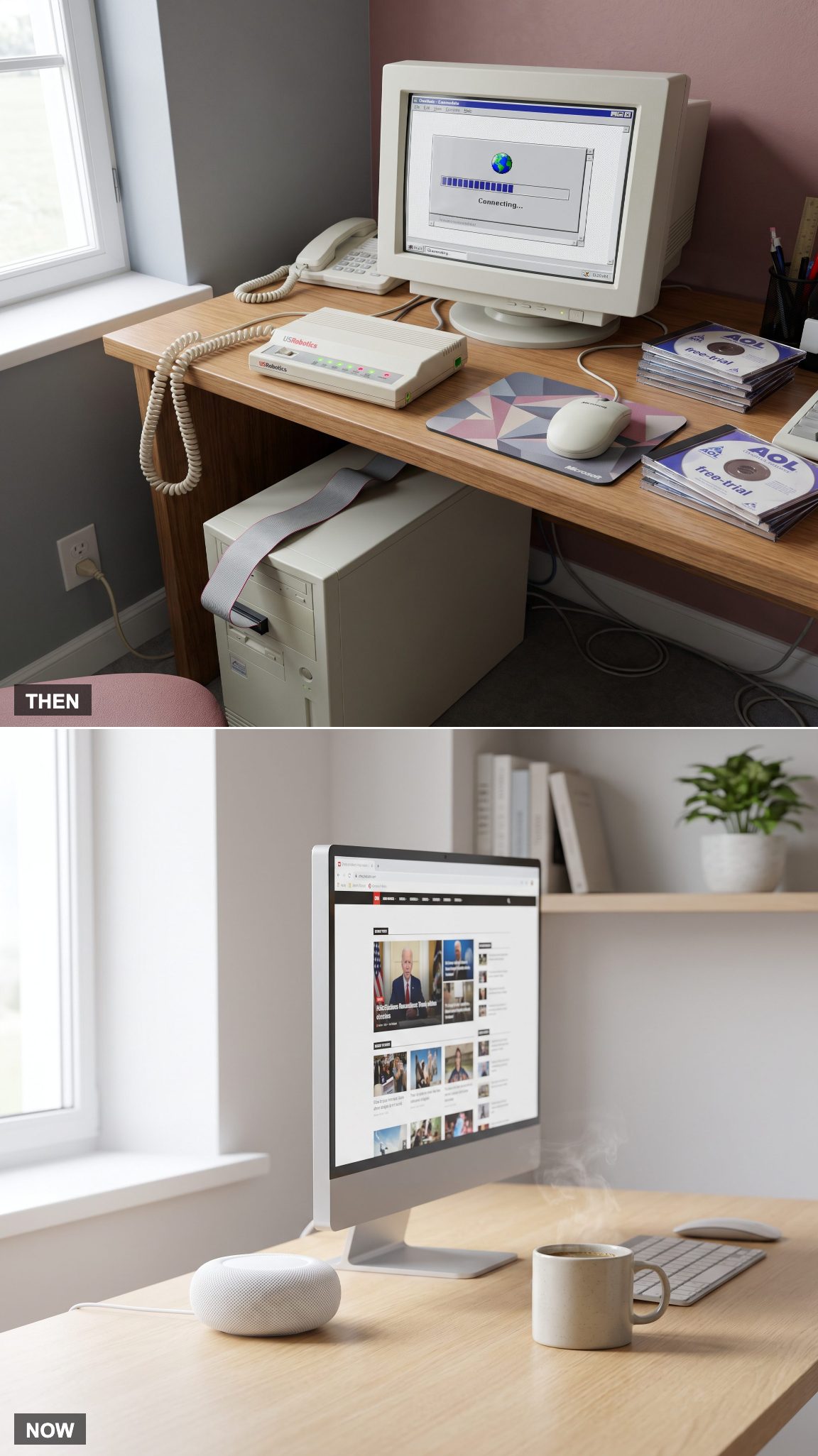
The dial-up handshake was unmistakable: electronic chirps, static, and a rising mechanical shriek that announced the computer was attempting to connect. Downloading an image could take long enough to reconsider whether seeing it was worth the effort.
Broadband connections and Wi-Fi have transformed internet access into an almost invisible household utility. Routers still need thoughtful placement for coverage and ventilation, but the connection no longer occupies the telephone line or announces itself every time someone opens a browser.
19. The Paper Planner Becomes a Calendar That Travels Everywhere
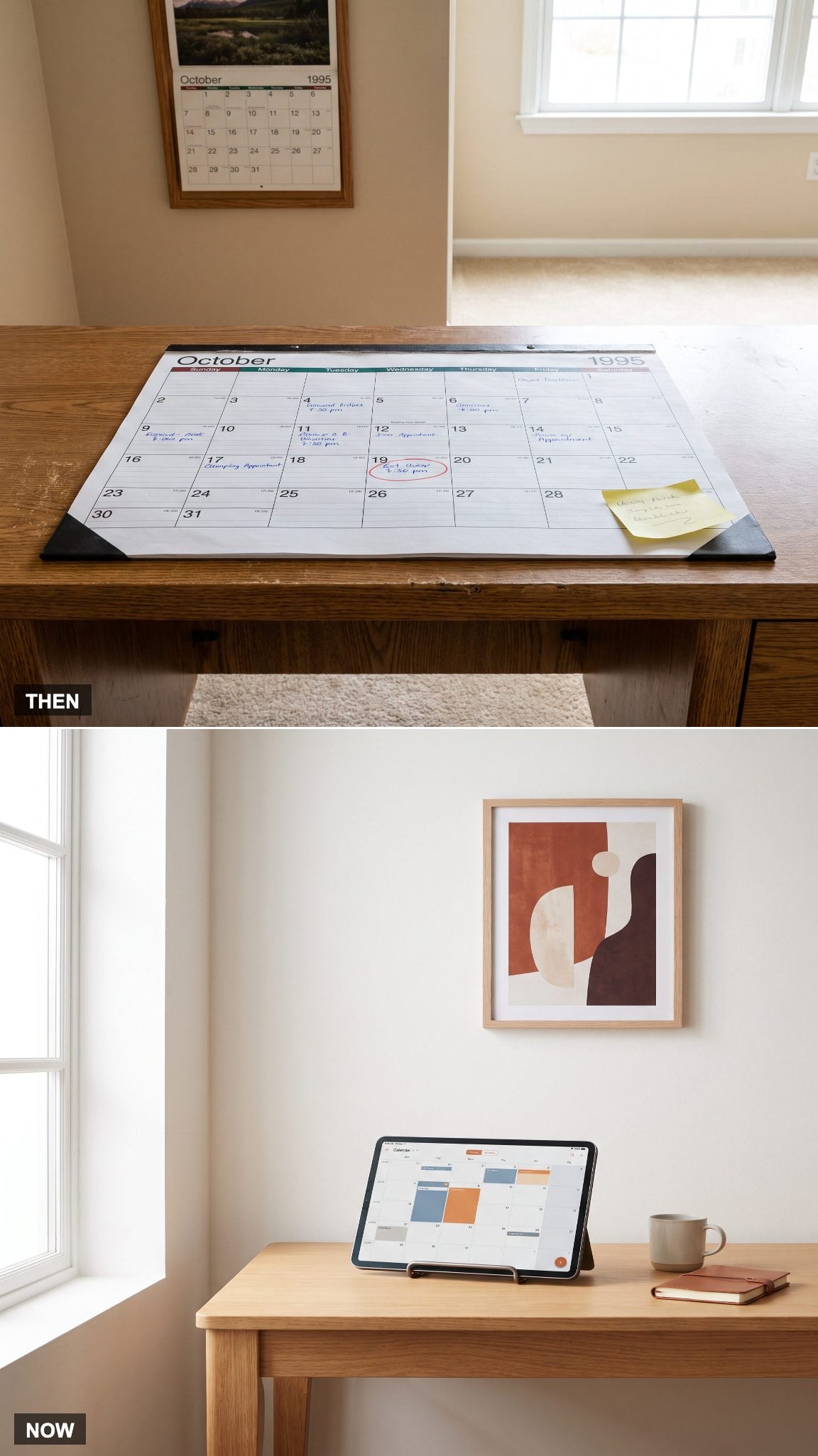
A paper desk calendar could become a dense map of appointments, crossed-out dates, arrows, reminders, and rescheduled meetings. Its great virtue was visibility. Its weakness was that the information stayed exactly where the calendar sat.
Digital calendars synchronize appointments across devices, issue reminders, and simplify shared scheduling. Paper planners remain popular for people who prefer writing and reviewing their commitments by hand. The strongest contemporary system may combine both: digital coordination for appointments and a physical notebook for thinking.
18. The Dedicated Printer Table Loses Its Reason to Exist
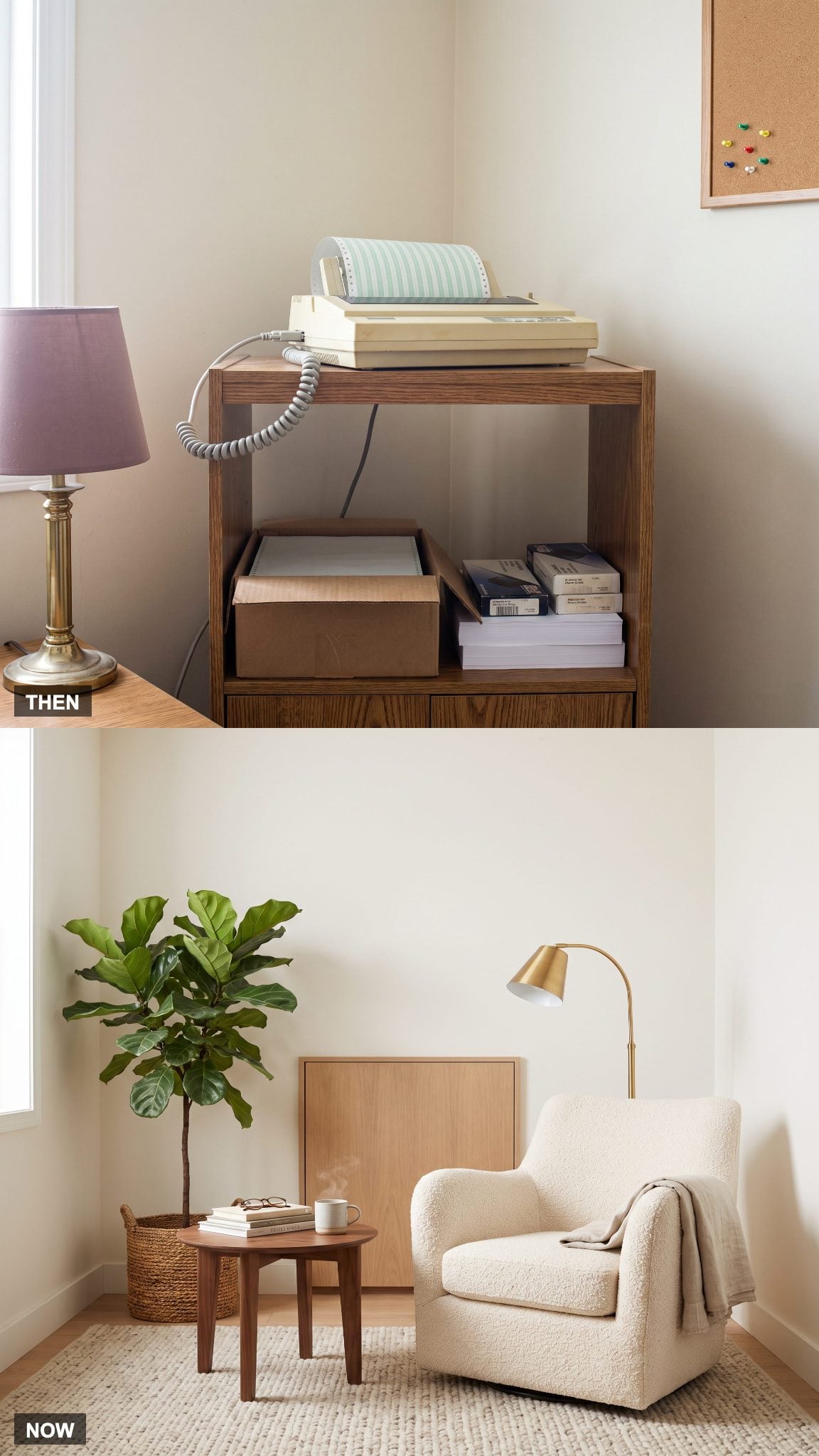
The printer once justified its own piece of furniture. The machine occupied the top, spare paper filled a lower shelf, and cartridges, ribbons, or tractor-feed supplies claimed whatever space remained. The arrangement was practical, although hardly an inspired contribution to interior design.
Wireless connectivity allows a printer to sit away from the main desk, while reduced printing needs have made dedicated printer furniture unnecessary in many homes. A ventilated cabinet, accessible shelf, or utility area can accommodate the equipment without making it a visual centerpiece. The former printer corner might finally have room for a reading chair.
17. The Rolodex Stops Spinning and Starts Syncing
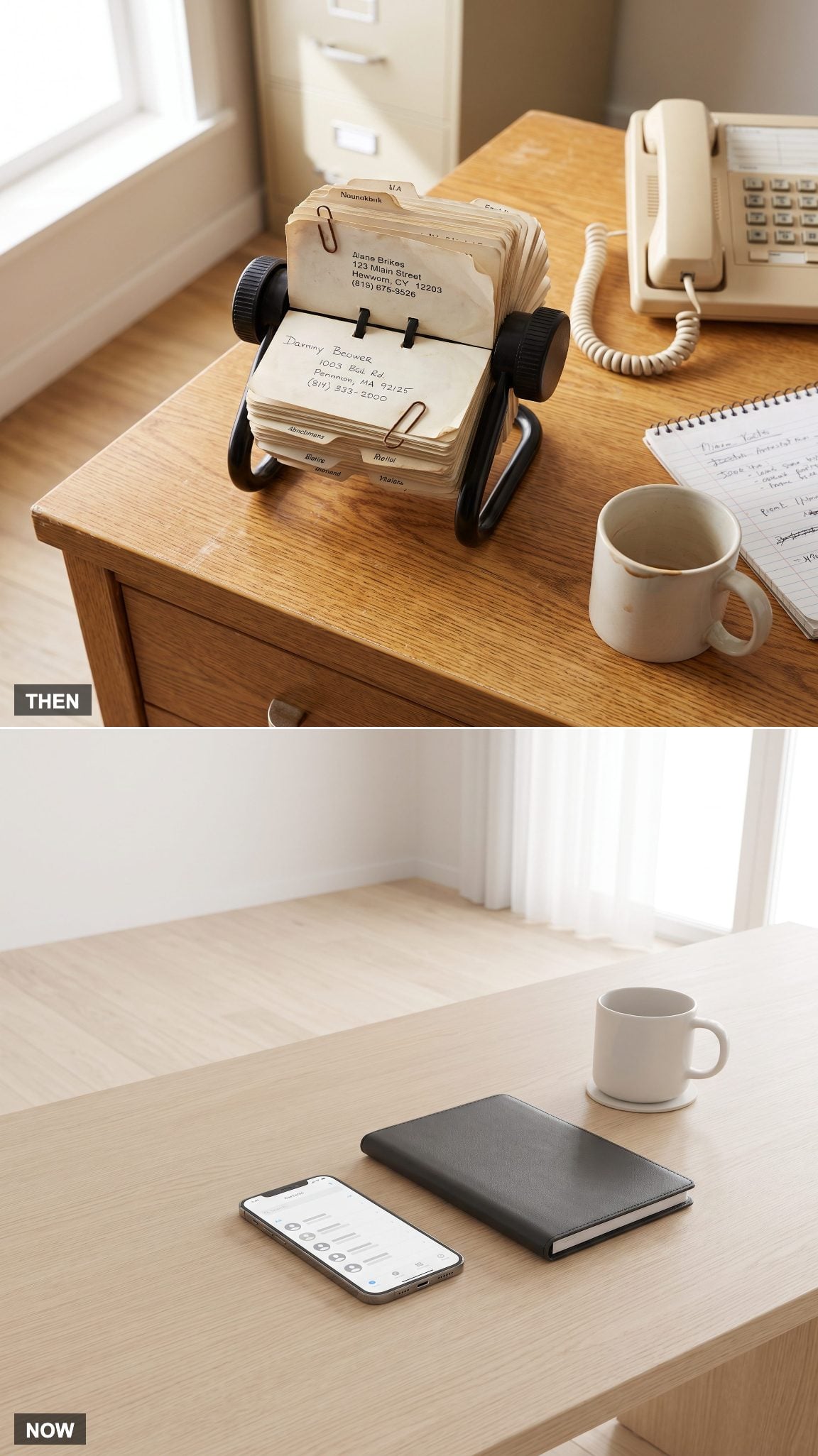
The Rolodex was a wonderfully mechanical solution to a straightforward problem. Flip through the cards, locate a name, and hope the telephone number hadn’t changed since the last time someone reached for a pencil. The device had presence, personality, and a permanent claim on the desk.
Digital contact lists are searchable, portable, and capable of synchronizing across devices. They still depend on accurate information, but updating a contact no longer requires replacing a card. The Rolodex survives as a nostalgic object; its original job has moved into the phone.
16. The Pull-Out Keyboard Tray Makes an Exit
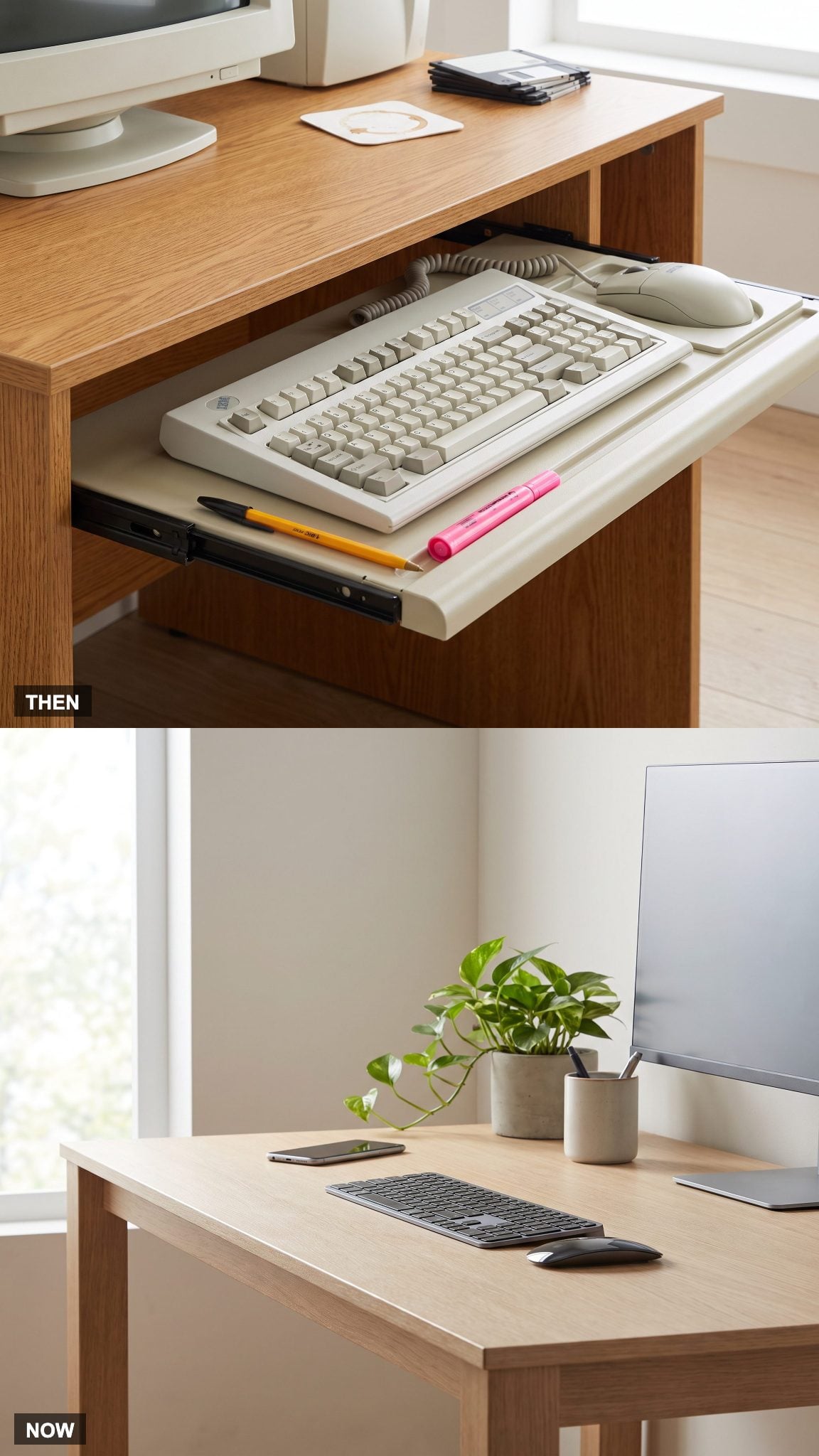
Keyboard trays were intended to free desktop space and position the keyboard at a more comfortable height. Some worked well. Others rattled, offered insufficient room for a mouse, or placed the keyboard at an awkward angle beneath the work surface.
Compact wireless keyboards and slimmer monitors have made integrated trays less necessary for many desks. A keyboard can now sit directly on the worktop without crowding out everything else. The important consideration remains its position relative to the user’s arms and wrists, not whether it disappears beneath the desk.
15. The Encyclopedias Leave the Office Shelves
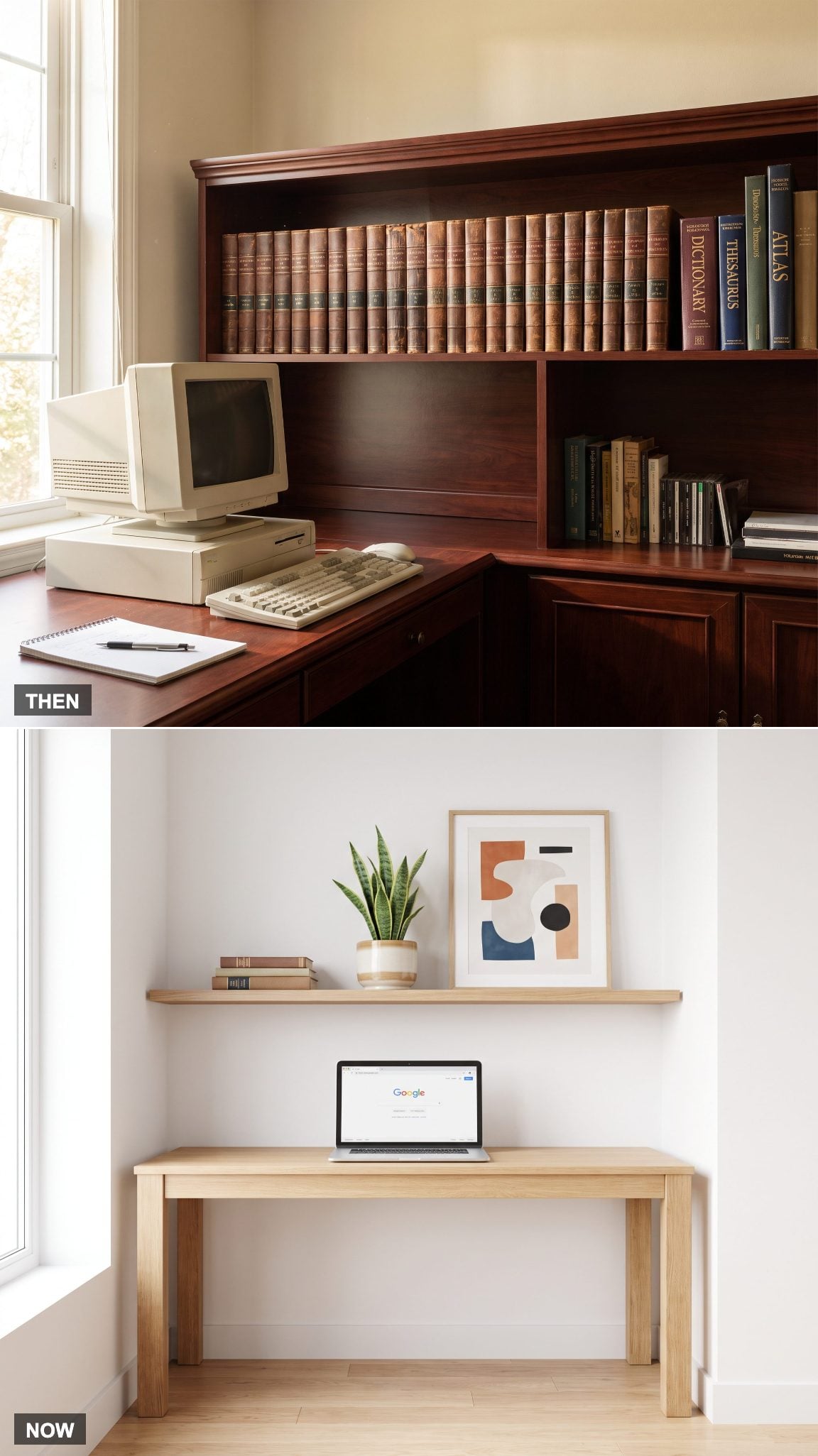
A complete encyclopedia set occupied serious shelf space and often represented a substantial household investment. The matching volumes looked authoritative, even when their contents were becoming outdated. Research involved locating the right book, finding the entry, and occasionally discovering something unrelated along the way.
Online reference collections and search engines have made information far easier to access and update, although accuracy still depends on the source. Physical books haven’t lost their appeal as reference tools or decorative objects. The difference is that shelves can now be curated around what someone genuinely wants to keep rather than an entire alphabet of compulsory volumes.
14. The Tangled Cable Jungle Gets a Proper Plan
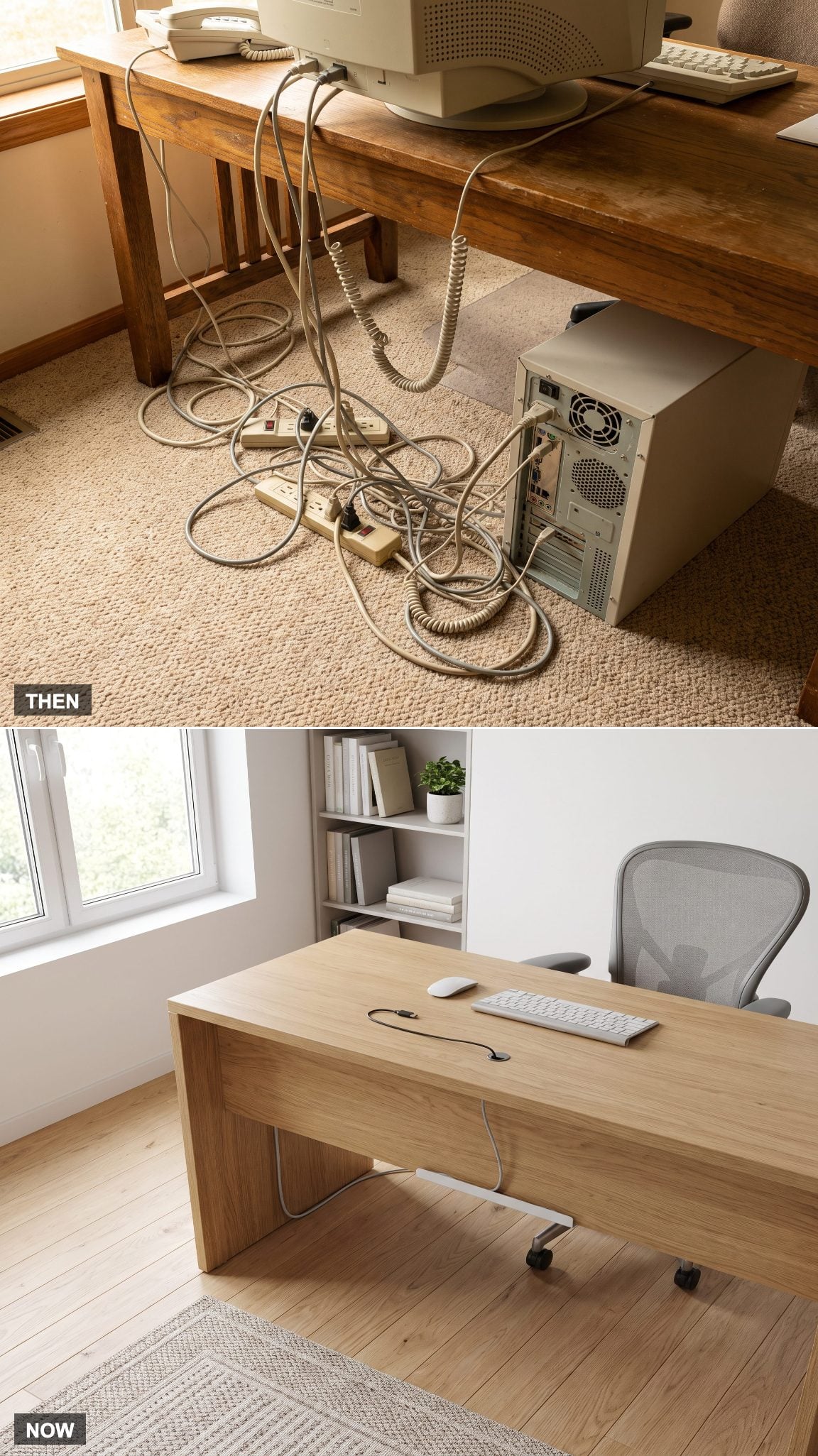
The space behind a 1995 computer desk could resemble an electrical archaeological site. Monitor cables, printer connections, telephone lines, power cords, and extension leads crossed one another in a dusty tangle. Identifying the correct plug was an exercise in patience.
Wireless peripherals have removed some connections, but monitors, computers, and charging equipment still need power. Cable trays, under-desk channels, clips, and properly positioned outlets keep the remaining wiring organized. The result looks cleaner and makes maintenance easier without pretending electricity has become optional.
13. The Floppy Disk Becomes a File Without a Physical Address
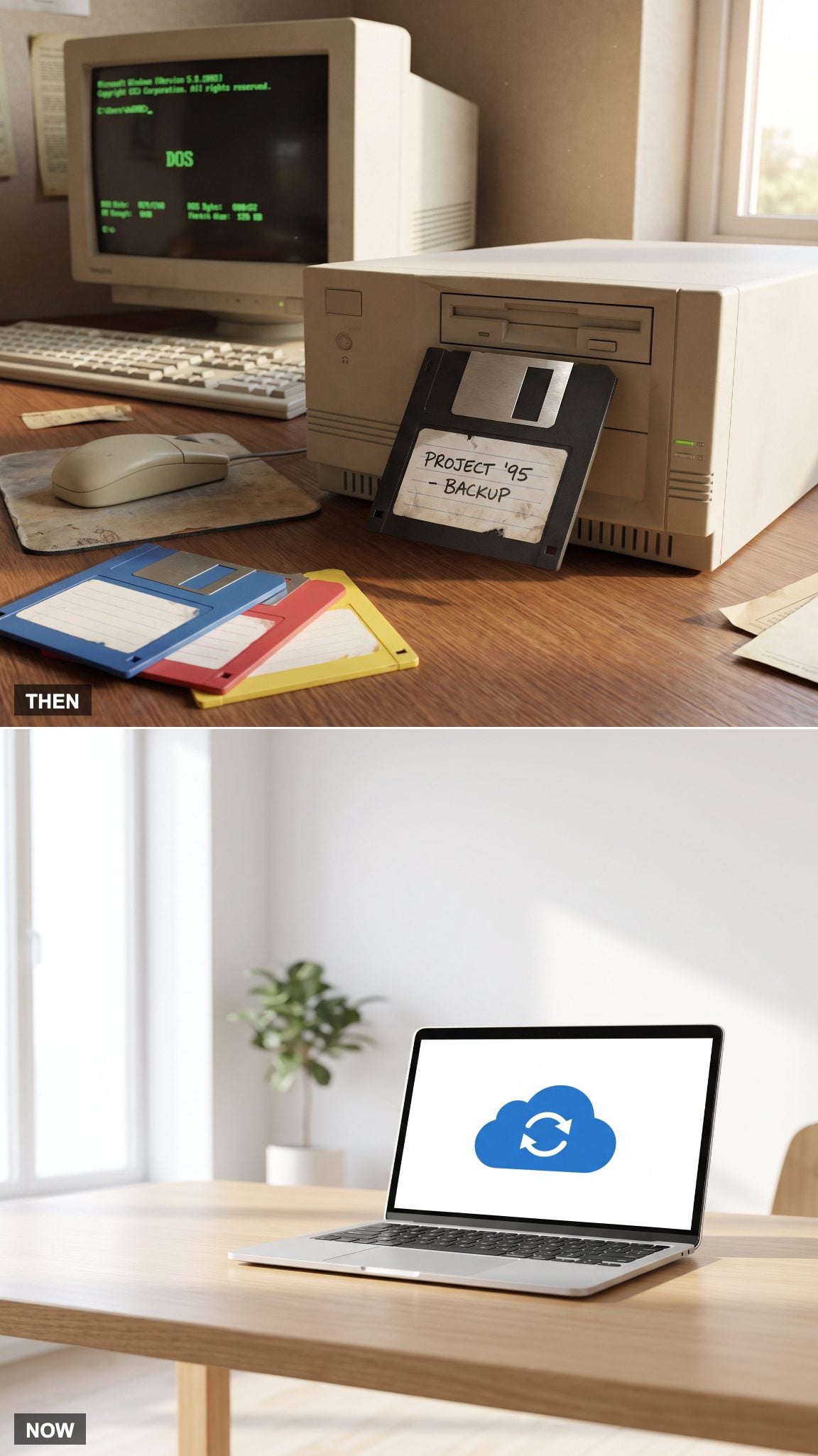
A 3.5-inch floppy disk held 1.44 megabytes in its common high-density format. Labels mattered, storage conditions mattered, and a corrupted disk could turn a perfectly ordinary afternoon into a small disaster. The familiar metal shutter and plastic shell made digital information feel surprisingly tangible.
Cloud storage allows files to be accessed from multiple devices without carrying physical media. Reliable backups still require planning, and cloud synchronization alone is not a complete backup strategy. Yet the practical change is enormous: documents no longer need their own labeled plastic squares.
12. The Office Desk Stops Being a Storage System for Machinery
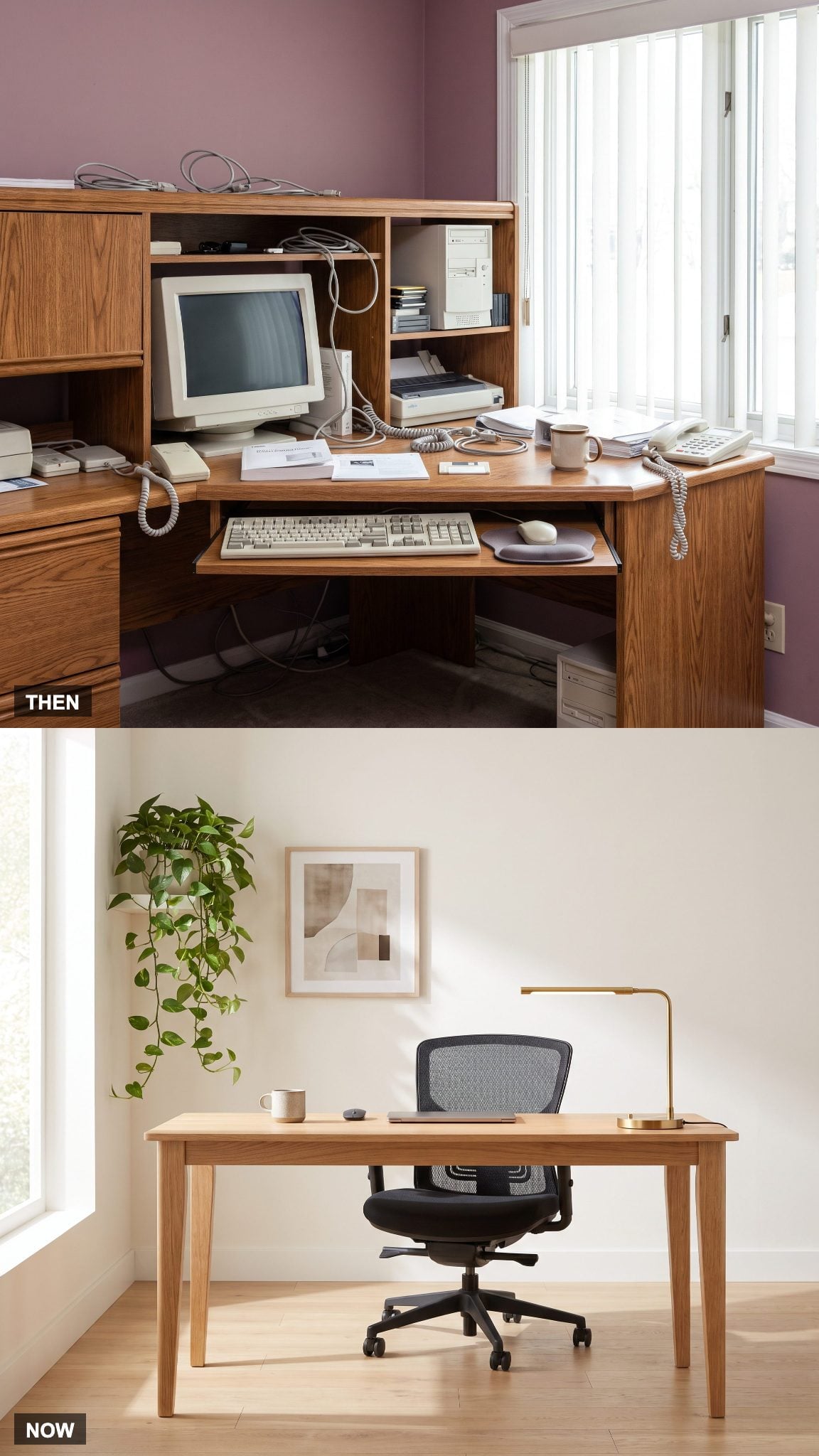
Computer desks once advertised themselves through the equipment they could accommodate. Tower compartments, monitor shelves, printer bays, and keyboard platforms determined their dimensions. The resulting furniture often had a fixed, bulky silhouette that could be difficult to reconcile with the proportions of an ordinary residential room.
Contemporary desks can take their cues from architecture rather than equipment catalogs. A beautifully proportioned oak writing desk introduces warmth and material continuity, while a carefully selected height, appropriate knee clearance, and an uncluttered work surface support everyday use. The desk can be positioned to take advantage of a window, frame a view, or establish a deliberate axis within the room. Its proportions and placement matter as much as its storage capacity.
11. The Desk Telephone Shrinks Into a Pocket
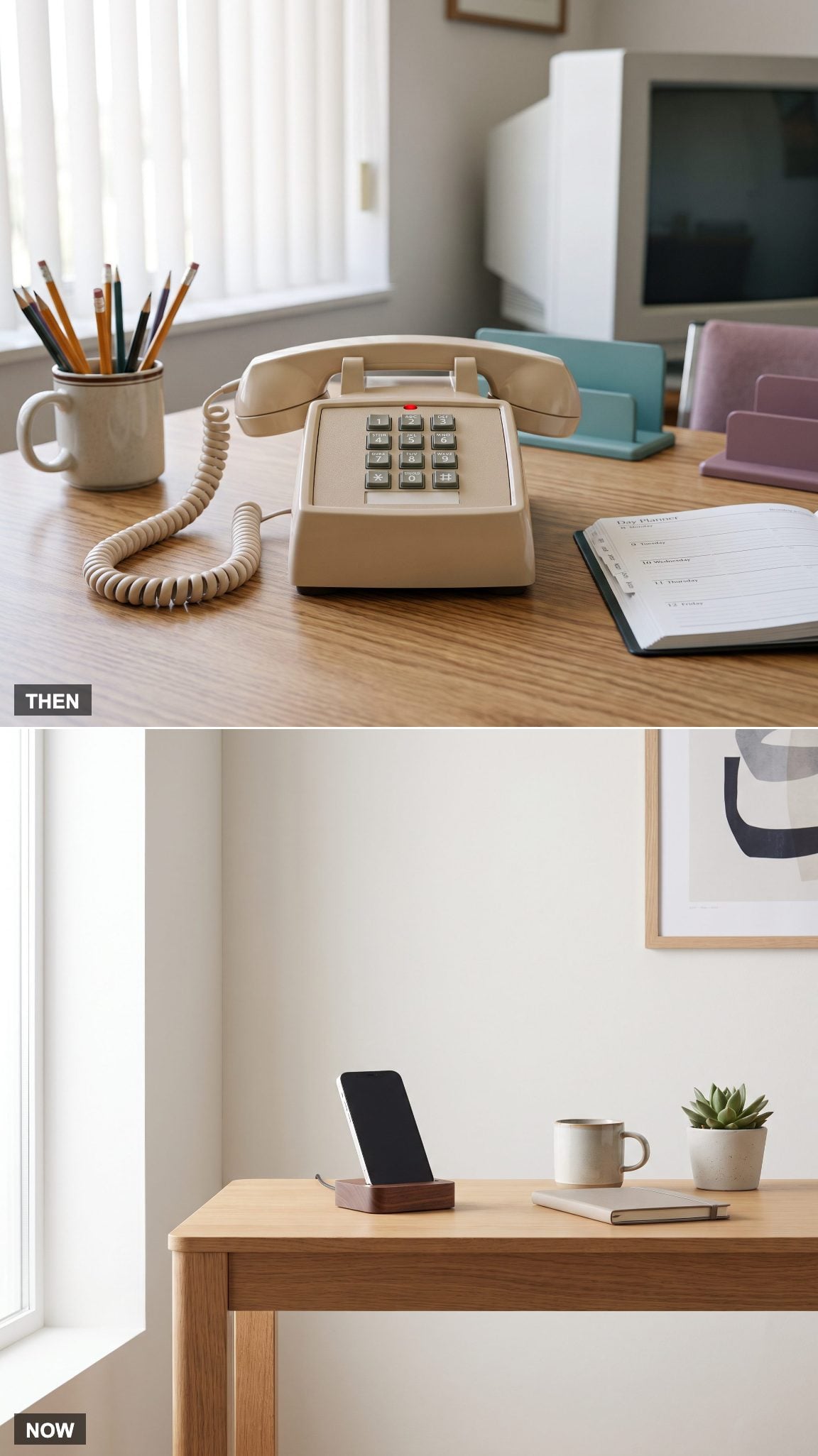
The corded desk telephone had weight, presence, and an extraordinary talent for tangling its own cable. Its position influenced the arrangement of nearby furniture, while answering machines and voicemail handled calls that arrived when nobody was available.
The smartphone combines calling, messaging, calendars, contacts, cameras, and numerous other functions in one portable device. For the home office, the spatial benefit is straightforward: an entire category of desktop equipment can be replaced by something that fits in a pocket. A charging station may be all the furniture it needs.
10. The Floppy-Disk Storage Box Meets a Drive Smaller Than a Pen
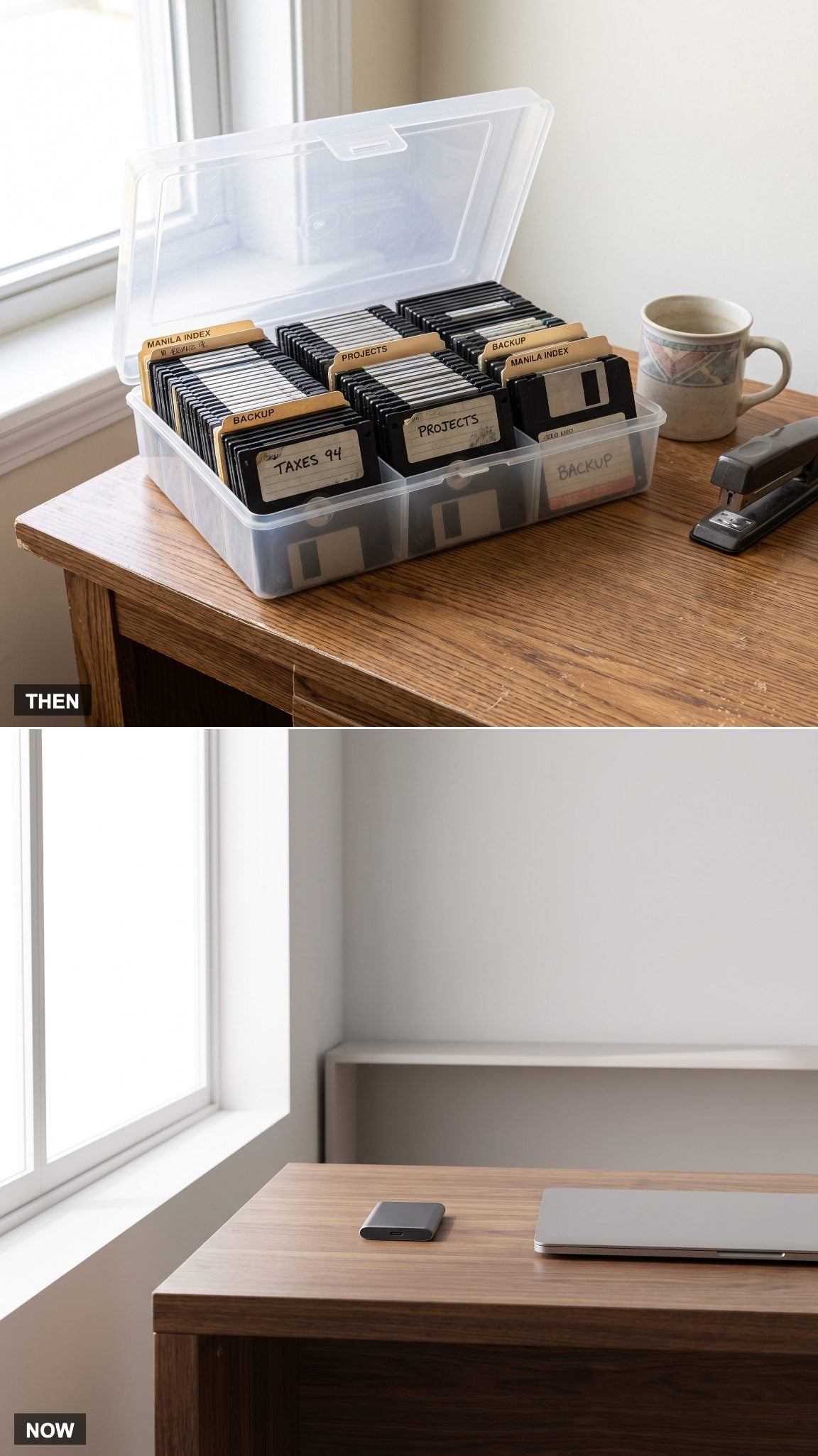
Disk storage boxes brought the organizational habits of the filing cabinet into miniature. Plastic dividers, handwritten labels, and alphabetical systems attempted to impose order on a collection of nearly identical squares. The alternative was a shoebox and a considerable amount of optimism.
A single terabyte of storage has roughly the nominal capacity of 700,000 standard 1.44 MB floppy disks. Imagine the filing system required for that collection. A compact external SSD or USB flash drive can hold the same volume of data without demanding so much as a drawer. Physical storage hasn’t disappeared, but its relationship with furniture has changed beyond recognition.
9. The Flatbed Scanner Hands Its Everyday Work to a Phone
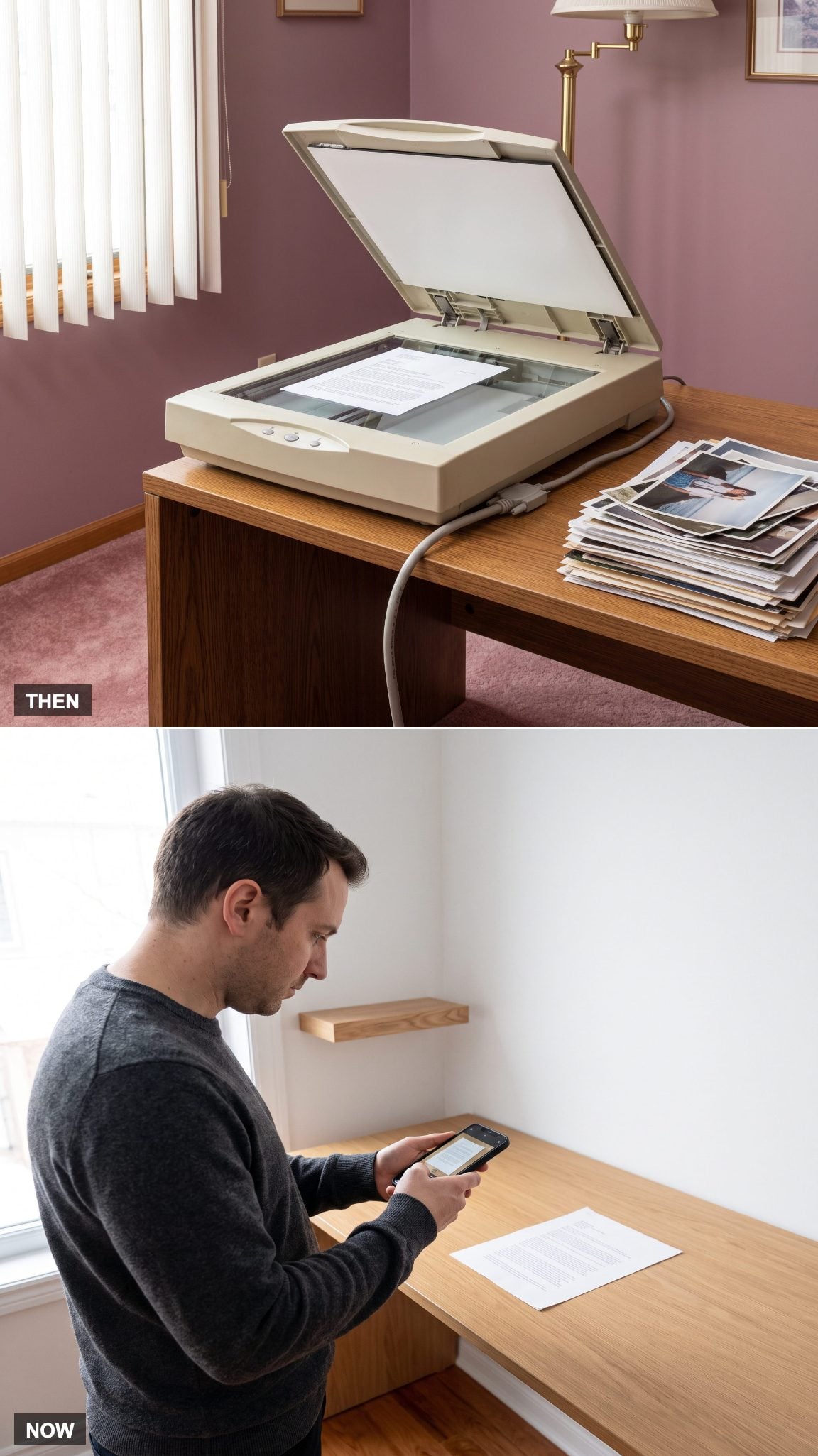
Flatbed scanners were substantial desktop appliances. A document rested beneath a hinged lid while a scanning mechanism traveled slowly across the glass. The results could be excellent, particularly for photographs, but the machine required a dedicated surface and a connection to the computer.
Smartphone scanning apps now handle receipts, letters, and ordinary paperwork with remarkable convenience, often correcting perspective and converting images into searchable documents. Dedicated scanners remain useful for high-resolution photography, artwork, and large batches of material. For everyday paperwork, however, the phone has removed another bulky appliance from the room.
8. Software Boxes and CD-ROMs Vacate the Shelves
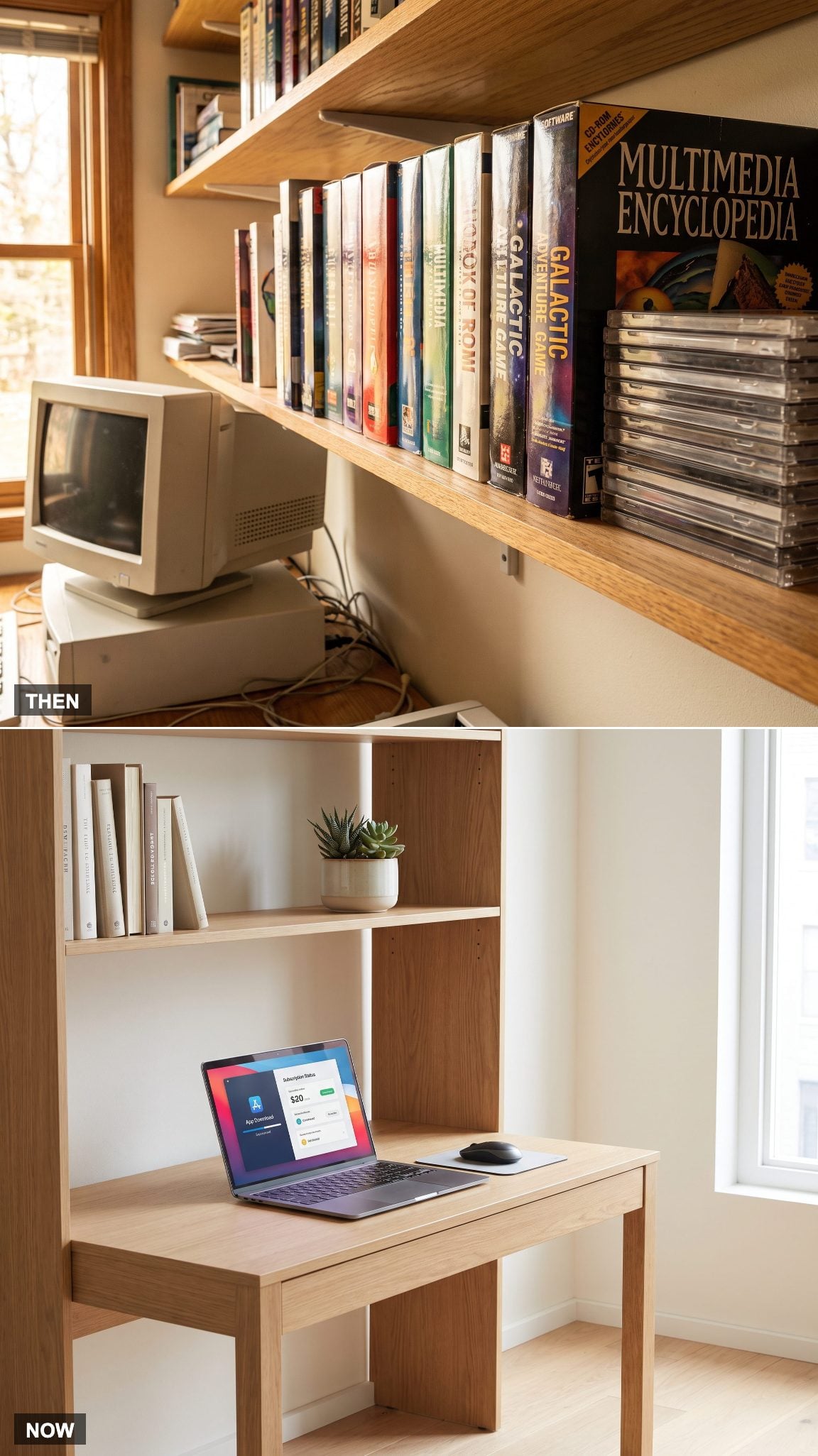
Software once arrived in elaborate retail packaging, sometimes accompanied by thick manuals, registration cards, and several installation disks. The box could occupy more shelf space than the computer component it was intended to improve. Buying a program meant bringing home another physical object.
Downloads, online accounts, and subscription services have largely removed the packaging from software distribution. The financial model has changed as well: some programs are purchased outright, while others require continuing payments. From an interior-design perspective, the shelves are free to hold objects chosen for their usefulness or beauty rather than the dimensions of a cardboard software box.
7. The Home Office Gets a Video-Call Setup Instead of a Tangle of Audio Gear
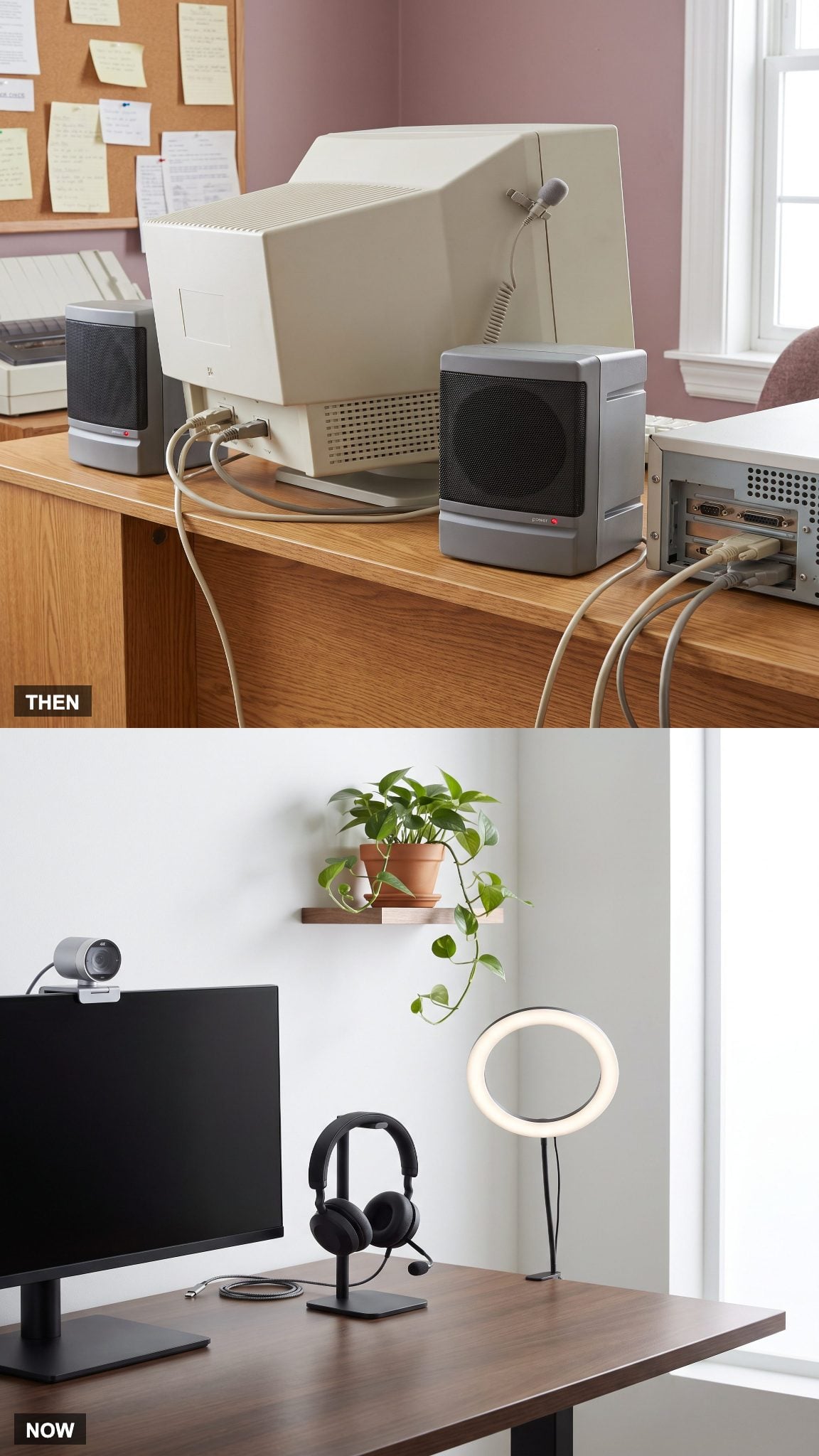
Mid-1990s multimedia computers often relied on small external speakers and basic microphones. Sound quality varied, cables multiplied, and video communication remained far removed from the ordinary working routines it would eventually become.
Today’s video-call setup can combine a black over-ear headset, a webcam, and carefully positioned lighting. The most effective arrangements are surprisingly restrained: a camera near eye level, soft frontal illumination, and a background that looks intentional without resembling a television set.
6. The Second Telephone Line Becomes an Unnecessary Household Expense
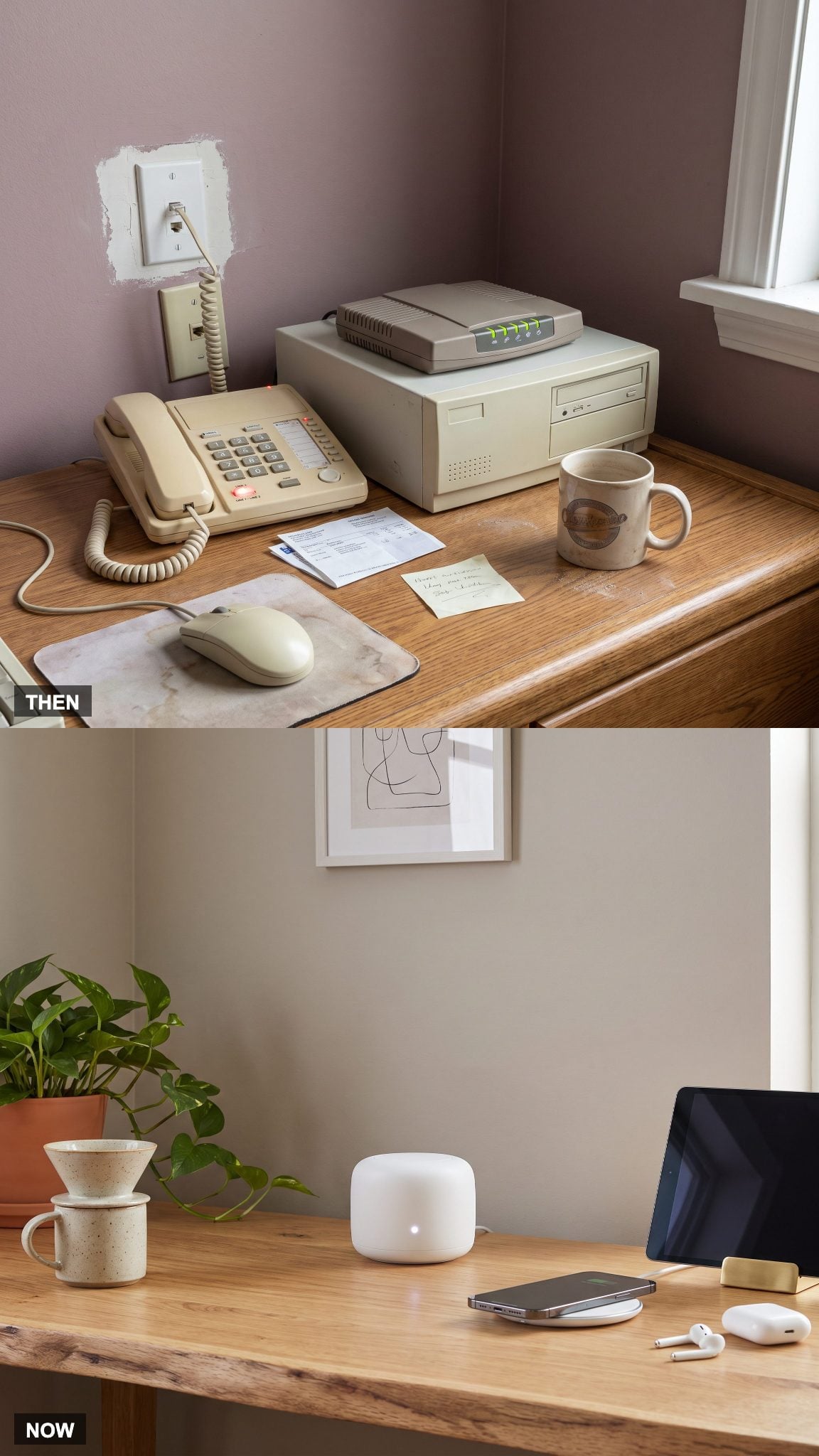
Dial-up internet created an awkward domestic competition for the telephone line. A separate line allowed someone to remain online without preventing other household members from making calls, although it came with additional installation and service costs.
Broadband and home networking eliminated that particular conflict. Multiple devices can now share a connection simultaneously, while wired Ethernet remains valuable for stable, high-performance connections. The home office no longer needs an extra telephone line simply to keep the internet available.
5. The In/Out Trays Stop Dictating the Working Surface
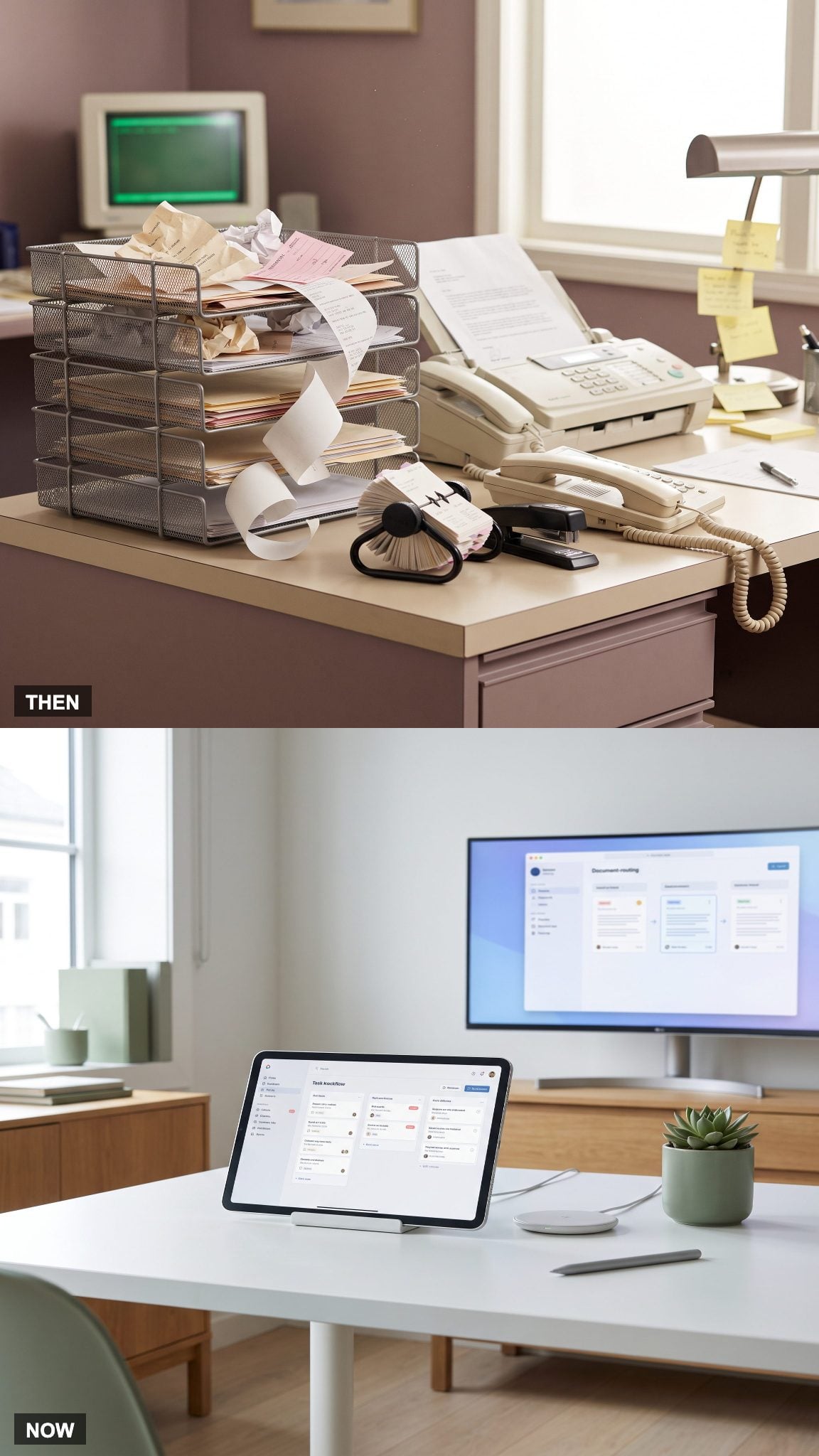
In-trays and out-trays gave paperwork a visible route through the office. Letters arrived, forms waited for signatures, and completed documents moved to another pile. The system was simple enough until the incoming stack began growing faster than anyone could process it.
Digital workflows route documents, approvals, and messages without requiring physical trays. Paper remains necessary for some tasks, but the working surface no longer has to function as a traffic-control system for every document in the household. A small physical inbox can coexist with digital organization without overwhelming the desk.
4. The Home Office Stops Designing Itself Around Paper Storage
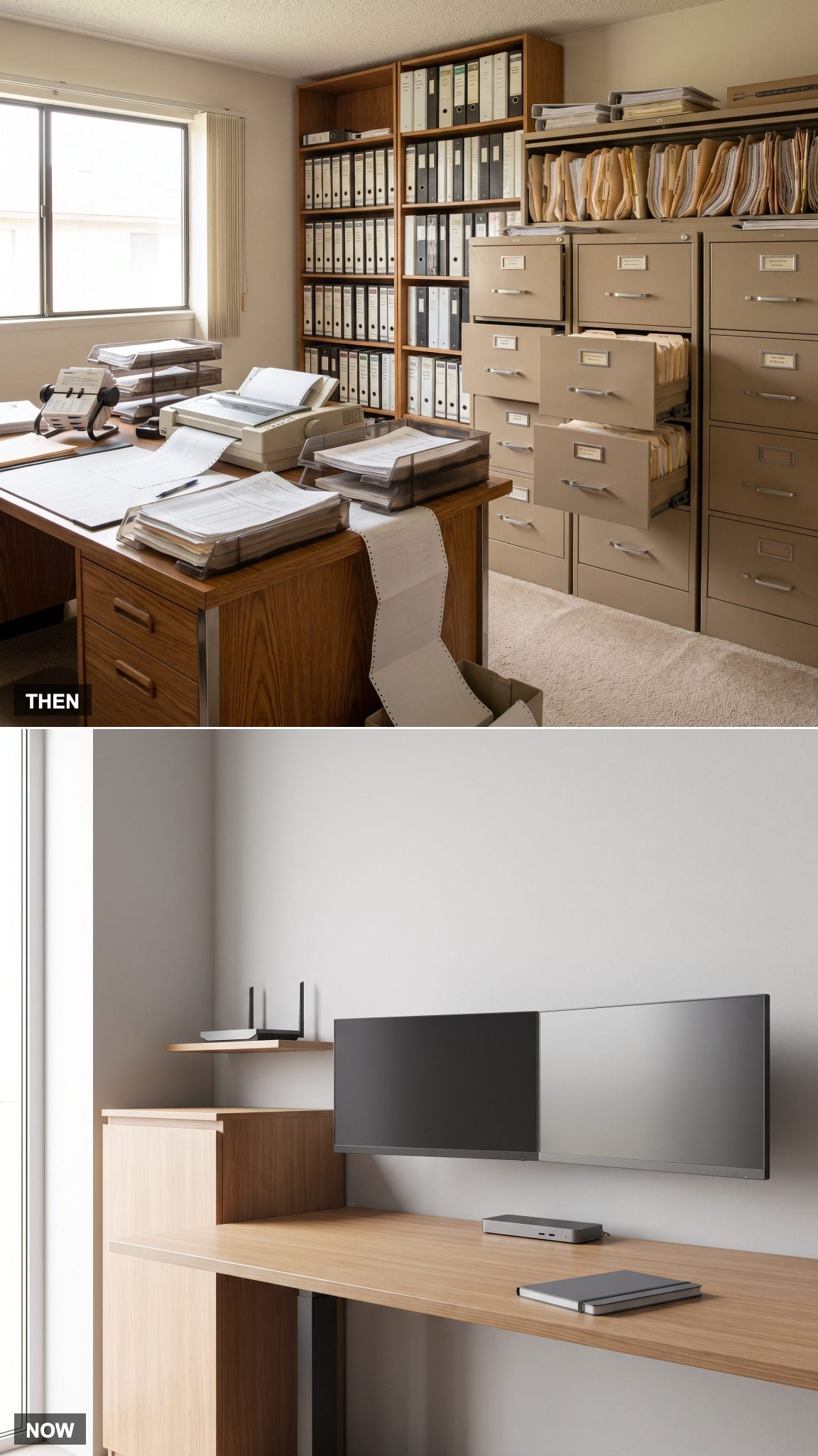
Paper once shaped the architecture of the working room. Filing cabinets needed accessible drawers, binders required deep shelves, and desks accumulated storage compartments for documents that might be needed again. The layout was governed by the movement and preservation of physical information.
Digital storage has allowed many offices to reorganize around sightlines, circulation, daylight, and the relationship between desk and seating. A wall previously occupied by filing furniture can become a window-facing workstation, a library, or a carefully composed storage installation. The real advance is spatial freedom: furniture can be positioned according to how the room works and how light moves through it, rather than the number of documents it must contain.
3. The Tower of Instruction Manuals Moves Into a Search Bar
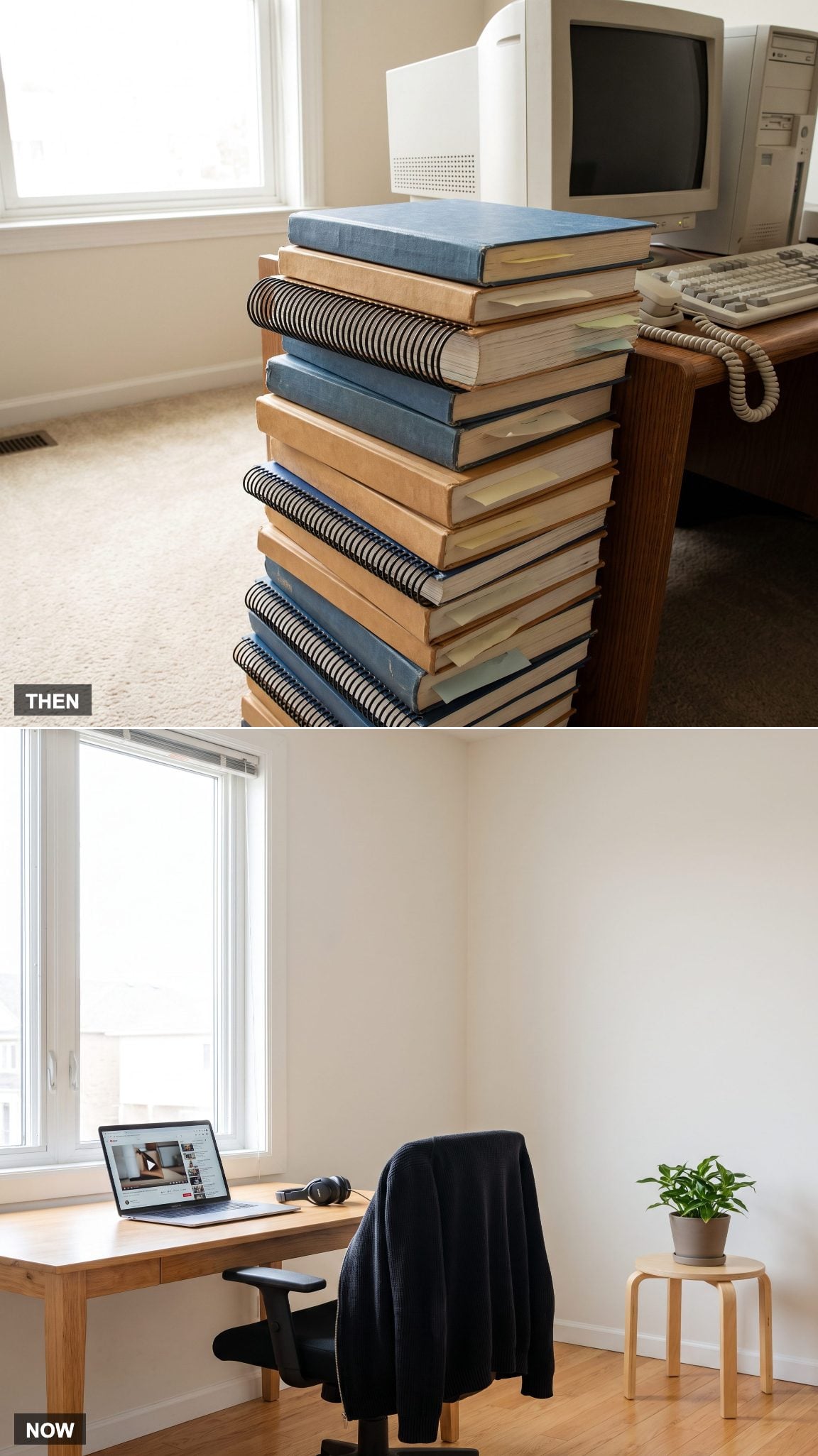
Computer equipment and software frequently arrived with substantial printed documentation. Installation instructions, troubleshooting guides, warranty details, and technical appendices accumulated in drawers and on shelves. Finding the correct page could take longer than solving the problem described on it.
Searchable online manuals, support forums, and video tutorials have made technical guidance easier to locate. Printed instructions remain useful, especially for equipment that needs maintenance or must function without internet access. The change is one of accessibility: information no longer needs to occupy a permanent stack beside the computer.
2. Beige Technology Stops Dictating the Room’s Entire Personality
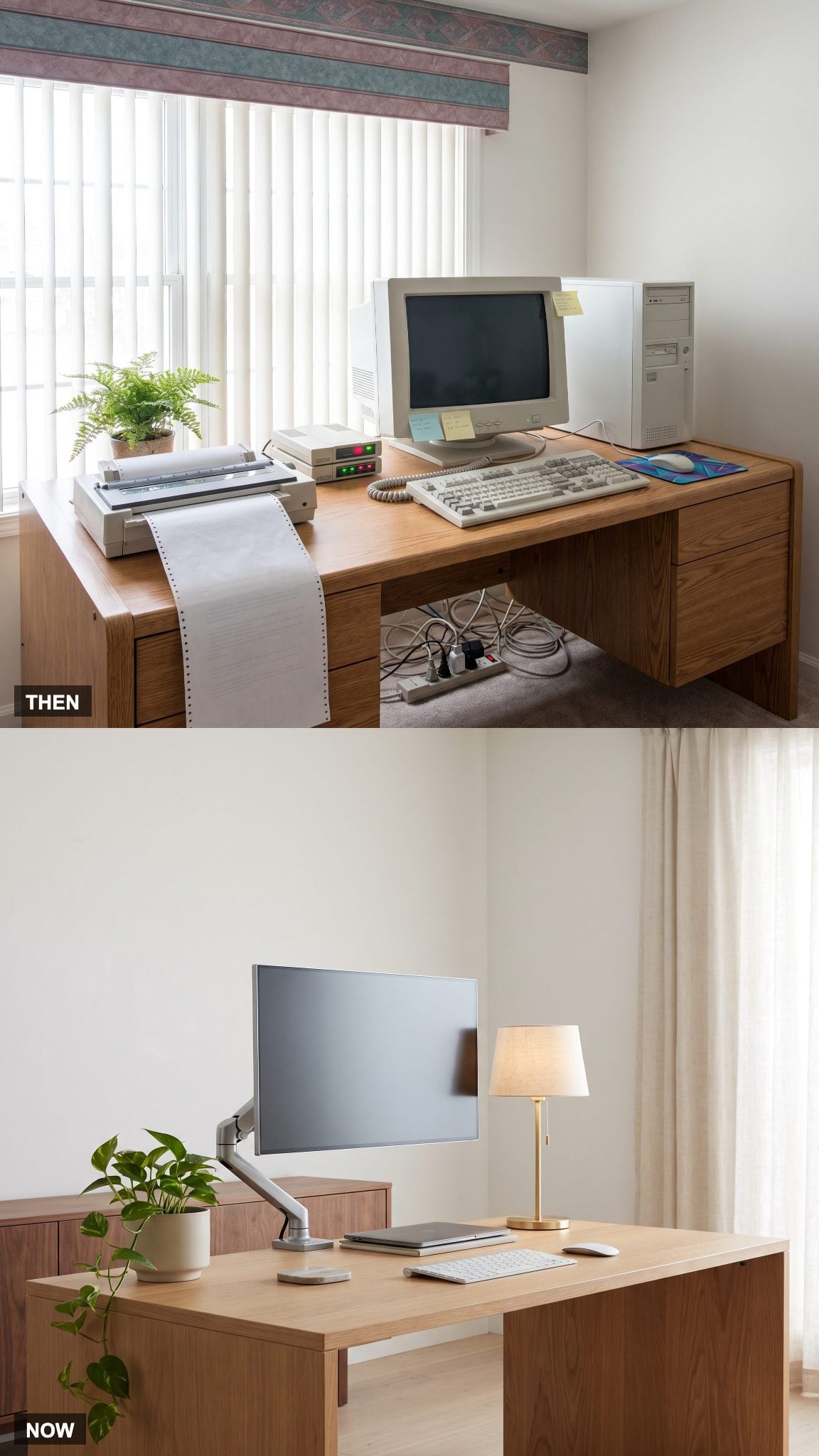
The old computer office rarely offered much choice in its material palette. Plastic equipment came in standardized colors and shapes, while the furniture surrounding it was often selected to match or accommodate those machines. The result could feel assembled from a catalog of office supplies rather than designed as part of a home.
Contemporary interiors can coordinate technology with architectural finishes instead of surrendering to it. Oak cabinetry can conceal charging equipment, a stone or timber worktop can establish the room’s character, and carefully positioned outlets can eliminate the need for exposed power strips. A brass desk lamp introduces a deliberate metallic accent, while upholstery, rugs, and wall finishes connect the office to the surrounding rooms. The achievement is not hiding every device. It’s making the entire composition look intentional.
Home offices with a transitional style got hearts 67% of the time from our readers, compared with 50% for the other images in the same articles.
1. The Occasional Home Office Becomes a Place Designed for the Working Day
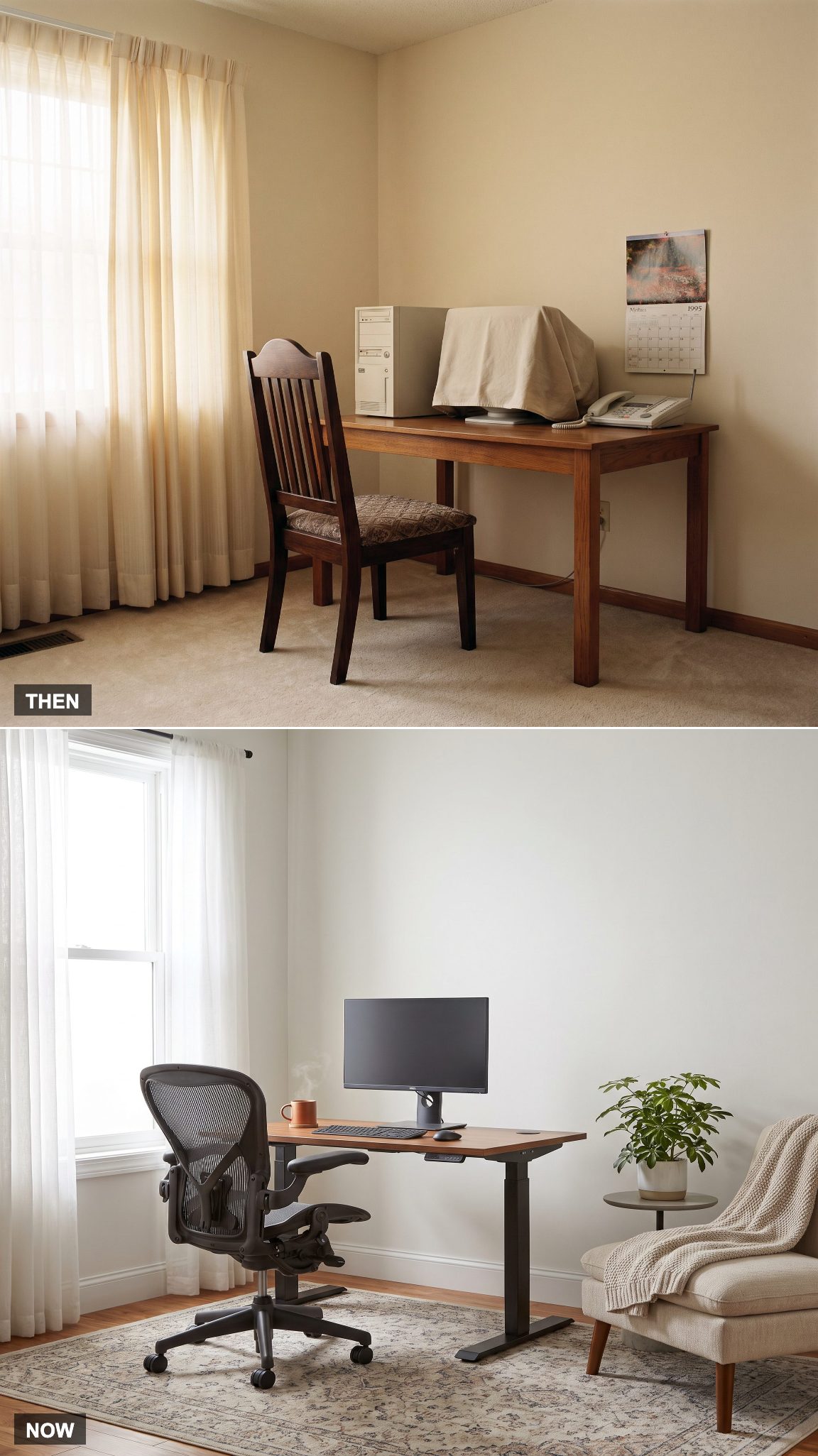
Home-based businesses, freelancers, and remote workers existed long before the modern work-from-home boom. For many other households, however, the computer desk served occasional administrative tasks rather than a full working schedule. Its design reflected that limited role: equipment storage mattered more than sustained comfort.
As home working has become more common, the office has acquired a different status within residential design. Comfortable seating, adaptable desks, suitable lighting, acoustic considerations, and attractive surroundings are no longer optional finishing touches for people who spend substantial time there. A supportive ergonomic chair and a thoughtfully arranged workstation can make a greater difference to everyday comfort than another decorative accessory.
The home office has completed an extraordinary reversal. In 1995, the room was frequently organized around what the computer required. Today, the best examples begin with what the person requires, then make the technology fit. That’s the transformation that matters most.